Categories
Life

Looking Back on 2024

Today being the last day of 2024, I decided I’d write something looking back on the year. I’ve been wanting to do this sort of thing in past years, but 2024 was particularly interesting. I’m also planning to do a separate “looking ahead” for 2025, since I have a few goals and anxiety about the coming year.

Life

My life isn’t exciting. Since the pandemic, my wife and I haven’t really done any travelling, and we tend to stick to our routines. This year changed some things, though.

In April, we visited my brother and his wife in California. They wanted us to come out and said it’d be a good time to visit. Looking back, I should have known something was up with how hard my family was pushing for us to visit them. When we got out there, they gave us a short tour of their place and ended in the kitchen, where they had a peg board up with a bunch of sonogram photos. I imagine I had a weird, slack-jawed look on my face as my brain was processing it. I think I made some awkward jokes (as I do). But that’s how I found out they were pregnant. I’m just amazed my mom was able to keep it a secret.

The baby was born in September, and my parents went out to spend Christmas with them. Apparently my mom is planning to fly back out in February and essentially be a live-in nanny as their leave ends and they have to go back to work.

Personal Projects

I typically have some project I’m working on outside of work. I was working on a third-person roguelike mech shooter in Unity for a while, but when Unity changed its pricing policy back in 2023, I stopped work on that. (They walked back a lot of those changes, but it left a bad taste in my mouth.) This year, I started a new project in Godot, and while there’s been a bit of a learning curve (and I have a lot more to learn), I’m slowly getting the hang of things. It sucks that I don’t have all the tools I was using in Unity to work with (especially since I paid a lot for some of them expecting to get a lot out of them), but it’s nice to get back to some of the basics.

So since I’ve been enjoying “bullet heaven” shooters recently, I decided I’d try making one myself, with a few city-builder twists. Right now, the idea is that you gather resources and build a mobile space station that’s constantly under attack, and you have to balance a variety of resources (power generation, ammunition, heat, propulsion) while under attack. I have these pictures in my head of a battle station with guns firing in all directions at dozens of enemies. Not sure how it’s going to play out as I get things going. Right now, I’m just trying to get some of the basics working.

Work

Either late last year or early this year, the company I work for – American Auto Shield (AAS) – was acquired by CarShield, the auto warranty company with all the ads. There was always a relationship between the two companies: AAS basically “creates” the warranty plans and CarShield would sell them. The acquisition has been pretty rough.

In March, AAS decided to pause 401K contributions until the end of the year to make the books look better for the new owner, since the spring-summer driving season leads to a lot of warranty claims. Around the same time, we were required to clock in and out, which just seemed ridiculous for salaried employees. I saw it as disrespectful. This peeved me at the time and I started passively looking for a new job.

Then last month (November), the new employee handbook comes out with a bunch of new changes. My PTO time was cut from 22 days each year to 12. It no longer accrues, but is given out on your work anniversary, which for me is the end of July, so I’ll have basically no PTO time until then (since I spent most of it for the holidays). They’re also cutting the 401K match by 1%, which is basically just a pay cut.

So now I’m actively looking for a new job. I’m trying to be a little picky, but the software development landscape has changed a lot since the last time I was looking. I don’t want to work for a “big” company – Microsoft, Amazon, Google, etc. – and they seem to be hiring the most. Not sure where I’ll end up, but one of my goals for next year is to make a move.

Politics

The source of most of my anxiety right now is around politics. To say I was disappointed by the election results this year is an understatement. I know Harris wasn’t a lot of people’s “favorite” candidate, but it seemed like it’d be an easy win; sure, Harris wasn’t as vociferous about certain issues as I’d like, but she was still a better option given the opposition. That Trump won the popular vote just astounds me.

I won’t speculate as to why things went the way they did (there are plenty of different reasons and I’ve read plenty of opinions), but all the bullshit Trump touted during the campaign has me anxious about how bad things are going to get over the next few years: tariffs and the usual deregulation nonsense are probably the biggest ones, but there’s also the Project 2025 stuff. Republicans getting control of all three branches has me incredibly worried about where the country is headed.

As pleased as I am to see the “can I change my vote” posts floating around social media, it doesn’t really change anything. The damage that’s coming over the next four years will take decades to undo, if ever. I’m frustrated that people don’t understand American politics well enough for the country to get any better. I’ve basically given up hope at this point when it comes to politics. I’ll still vote, I’ll still anxiously watch results, but I have no faith that anything will improve.

Looking Ahead

I hate to end on a sour note, but that’s how 2024 has ultimately felt: like the situation around the world is bad and steadily getting worse. I’m fortunate enough that things are good within my bubble, and I’m certainly thankful for that. I think I’m going to have to insulate myself a bit over the next few years just to survive without going insane. I still hope that things don’t end up as bad as I fear, but that’s only because it seems like the only option I have. I’m just not getting my hopes up very high.
Categories
Life

Setting up my home with Home Assistant

For the past year or two, I’ve been wanting to move away from using Amazon or Google to control my smart home devices. There have been a few really unsettling instances with Google (my wife and I talking about something and then ads in search results about that something and I’ve never searched for it), and Amazon is just so hit-or-miss that it’s annoying (I thought these things were supposed to get better over time). I tried openHAB for a while, but I found it difficult to get things set up properly. I recently decided to switch over to Home Assistant, since I was excited about 2023 being their “Year of the Voice” as it finally meant an alternative to Amazon and Google.

I’ll start off by saying that Home Assistant is great, but definitely not as easy to use as Alexa or Google Assistant. However, once things are set up, it’s pretty easy to use.

Getting Started

I had openHAB running on a Raspberry Pi 4 and started out by formatting my SD card and installing Home Assistant. I had a lot of trouble getting it connected to my network; the documentation wants a hard-wired connection for initial setup. I tried all the usual headless WiFi setup steps, but none were working for Home Assistant. I finally acquiesced and connected with a wire long enough to get the wireless connection configured.

After that, things went really smoothly. Home Assistant automatically discovered my Hue hub, Harmony hub, several TVs (an LG TV and a Samsung smart monitor), my Bond bridge, my Google Nest devices, my Brother printer, and even Octoprint. Getting these connected to Home Assistant was a breeze (though Nest devices require some setup in Google Cloud).

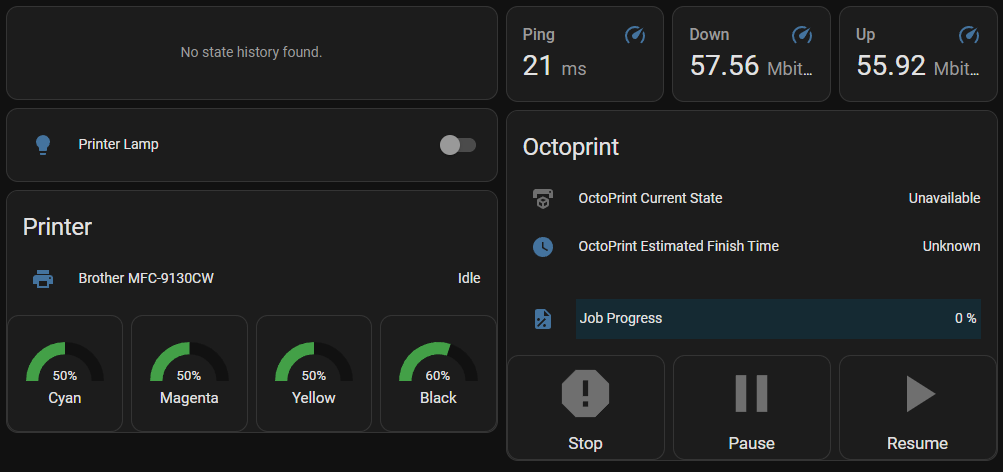
The dashboard for my home office, showing my 2D and 3D printer statuses, ping information, and Home Assistant uptime.

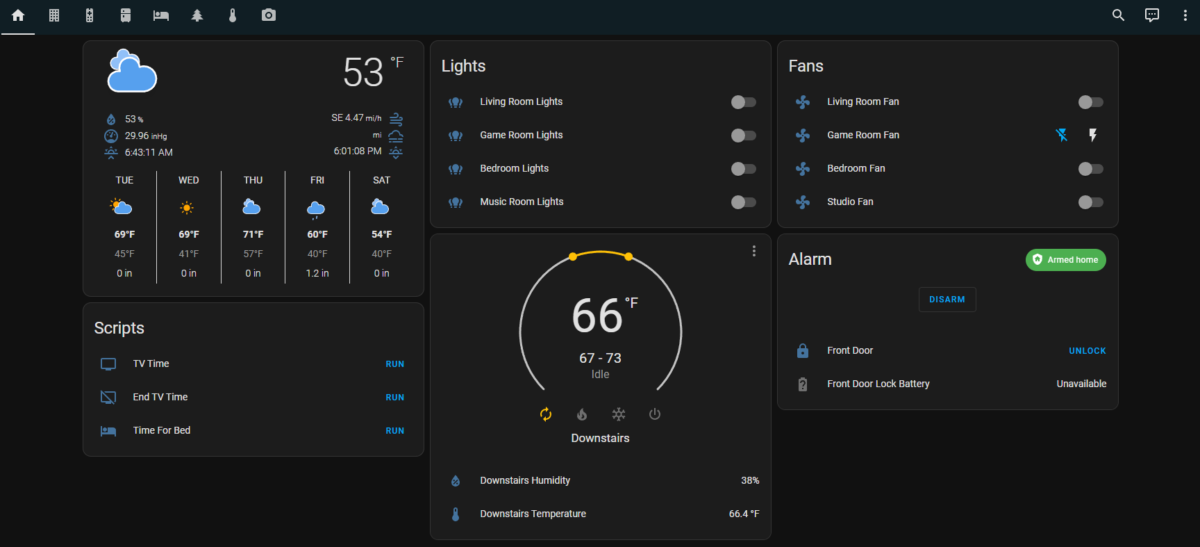
Home Assistant uses customizable dashboards that you can set up to control things, and I quickly set up several dashboards for different purposes/rooms. This was a breeze and a lot of fun to tinker with.

Setting up Wyze

I have a lot of Wyze devices (cameras, bulbs, etc.), and while Wyze integrates with Alexa and Google Assistant, it doesn’t really cooperate with anything else. After some searching, I found a community-developed Wyze integration, which required some additional setup.

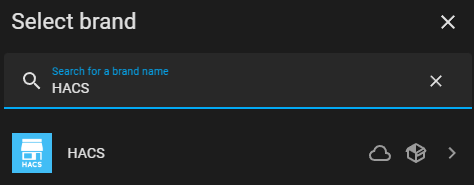
Installing HACS is really easy now.

I had to install HACS, the Home Assistant Community Store, which allows you to pull community repositories into Home Assistant. Installing HACS took a few steps, but it’s gotten easier in the past few months: you can install it directly via Home Assistant’s “Integrations”; a few clicks and you’re done.

Once HACS is installed, it’s pretty easy to add a new community integration using a GitHub repository URL. And as soon as I had the Wyze integration added, most of my Wyze devices were found and I could start controlling them.

Not every Wyze device is fully supported. The community integration uses the same API that the Wyze app uses (which means support could be pulled at any time, since it’s not really meant for community use), so it’s limited to what the app can do. Camera feeds were previously supported, but that functionality was removed because it was hammering the Wyze API for camera stills. So after adding the integration, I had access to:
– Bulbs
– Plugs
– Home Monitoring (arming and disarming only)
– Cameras (floodlights, motion detection, power, and siren; no feeds)

Honestly, all I really needed was control over the bulbs and plugs, so I was satisfied with what I got.

Setting up Google Nest

Getting Home Assistant connected to Google Nest was more involved. You basically have to become a “Nest Developer” and set up a Google Cloud project to integrate with Nest devices. There’s a one-time $5 fee to set up the integration, but the setup process itself wasn’t too difficult.

The documentation details the process pretty well. After finishing that setup, I had access to my cameras and thermostat.

Next steps

So now that I had all my devices set up in Home Assistant, it was time to start grouping things together and setting up some scripted actions. Most of this was pretty easy as well.

Grouping Entities

Home Assistant makes a distinction between “devices” and the “entities” associated with those devices. For instance, a Wyze camera is a single device, but will have separate entities for a floodlight, camera feed, power, siren, etc. Controls in dashboards, automations, and scripts all typically refer to an entity.

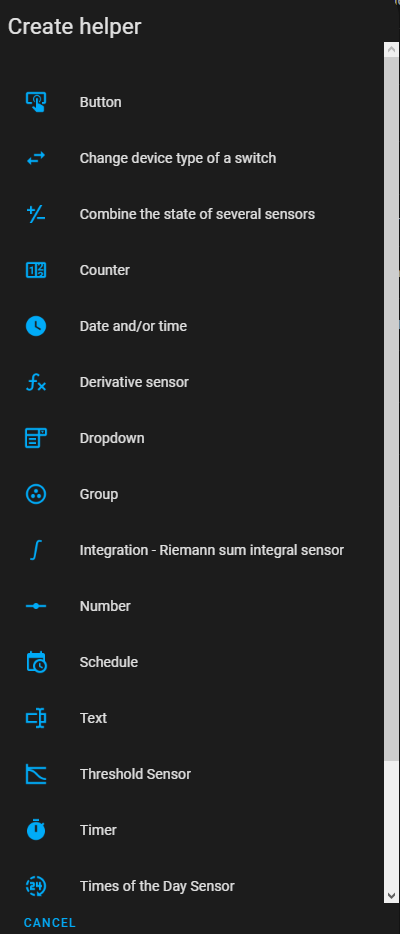
There are a lot of helper types.

Creating groups of entities was a bit obtuse. Home Assistant has “helpers” which cover a wide range of things like virtual buttons, counters, timers, schedules, etc. Groups fall under “helpers”, so you go there, create a new “Group” helper, select the type of group (there are groups for sensors, fans, lights, locks, media players, etc.), then add your entities to the group. I needed light groups for a few rooms, so I just set up a few light groups.

Once the groups are created, they show up as entities you can control elsewhere. However, I’ve noticed groups can’t typically be controlled from automations or scripts, which means I have to control the individual devices there, which is a bit annoying when I want to be able to control them as a group.

Scripts

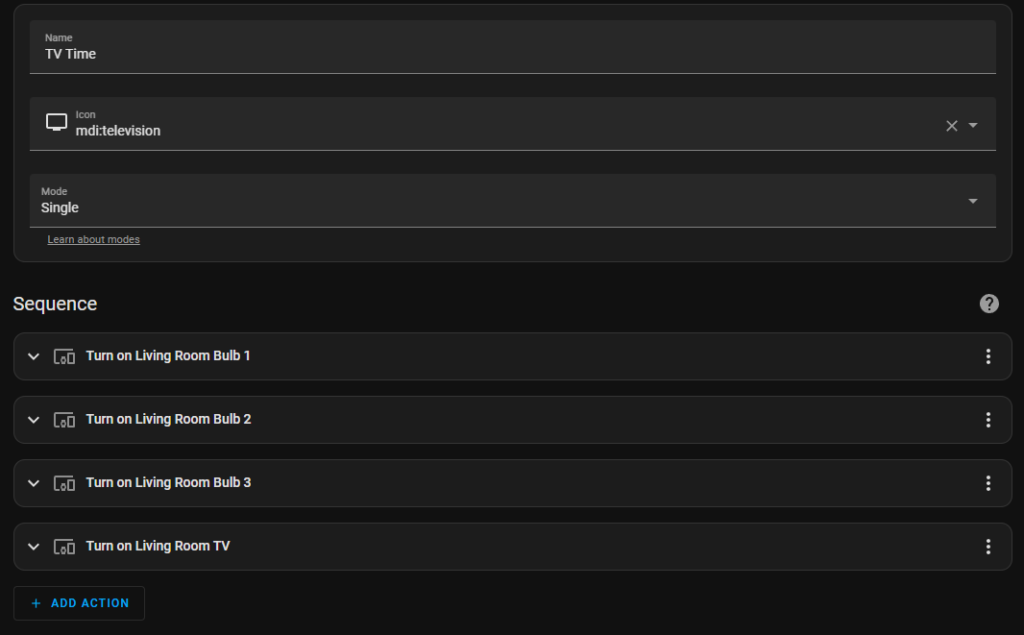
Our “TV Time” script, that turns on the living room lights and TV.

We have a handful of routines we use in Google. I set these up as scripts that perform the same actions the routines did. This step was also really easy: just give the script a name, an icon, and a list of actions.

Dash Buttons

I’ve had a bunch of Amazon Dash Buttons lying around for a while with the intention of repurposing them for something smart home related. As it turns out, there’s a community project to set up Dash buttons within Home Assistant to trigger certain actions.

Unfortunately, the Dash buttons don’t get set up as buttons within Home Assistant. The Dasshio plugin just sniffs packets on the network and triggers something when it detects a packet from a specified button. Like the other parts of setup, this was all relatively easy. You just need to put the button in pairing mode, connect to its wireless network, acquire its MAC address, and send it your network SSID and password. Within the Dasshio configuration, you just have to give the button a name and provide the MAC, then specify what happens when you press the button. Most of my buttons just trigger the scripts I had already set up.

I wish I could figure out how to get the labels off these things, though. I may end up 3D printing a little case for them so I can give them a custom label. For now, I’ve just been choosing the most appropriate button for the task, like the “Finish” button for turning off the living room TV and turning off the lights, or the “Cheez-It” button when it’s time for bed. (I’ve also got a “Bounce” button that I might set up for leaving the house.)
I know these buttons won’t last forever, but right now, they’re a cheap and effective smart home control.

Initial Experiences

After using Home Assistant (almost exclusively) for a few months now, I can’t believe how great it is. When I perform actions, either with my Dash buttons or through the app, devices respond almost instantly because everything happens locally within my own network. This is how smart home stuff should have worked from the start, rather than everything being in the cloud.

My wife and I both started using the Home Assistant app on our phones, which opens quickly and responds instantly to commands. The app connects to your local Home Assistant server, so it’s all still on the local network. The Dash buttons made things easier, giving us a dedicated physical button for the things we do most often. You can also set up cloud access for a monthly fee ($6.50), but I haven’t had need for that quite yet.

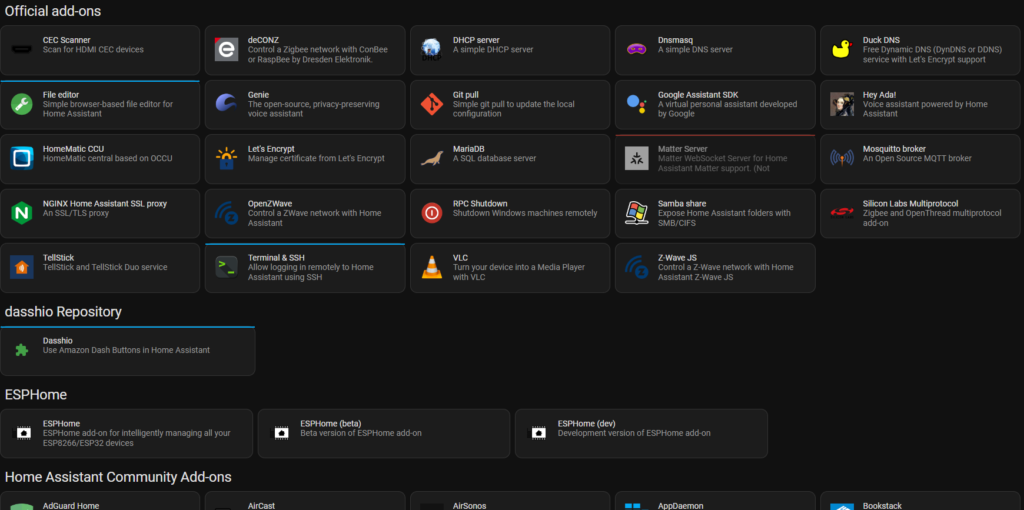
There are loads of add-ons.

I’ve only scratched the surface, though. There are media controls so you can play a variety of media sources to any of your media devices. There’s an “Energy” section that can track your energy usage (including power usage, solar production, battery storage, gas consumption, and water consumption)if you have the right hardware. There are addons to run a DHCP server, media server, VPN, FTP server, and more. Home Assistant is very flexible and powerful. And this is all running from a tiny Raspberry Pi in my office.

Looking Ahead

Working with Home Assistant has actually made me excited about Matter, especially since Wyze plans on supporting it and it seems like it’ll make Home Assistant work even better. Home Assistant already has Matter support, so as more devices arrive that support the protocol, I’ll be able to add them and start using them right away. (Though there’s still no support for cameras in Matter, so I’ll be waiting a while to get everything added.)

Home Assistant added a chat-based natural language assistant in January, the first step toward adding full voice support. I’ve used it a handful of times, just to try it out, and it works pretty well. Right now it requires specific device or entity names, but you can always add aliases if needed. I’m excited to see how the voice support shapes up. If it supports creating timers and performing simple web searches, it would completely replace Amazon and Google in my home. (We use timers heavily.) I’ve read that you can repurpose Nest Hub and Amazon Show devices to display a Home Assistant dashboard, so once voice control is added (and if it supports all I need), I’ll likely give that a try. I also have an old Amazon Fire tablet I may repurpose into a hub somewhere.

I enjoy tinkering with stuff like this, so Home Assistant has been a lot of fun to work with. There’s definitely a learning curve, but it’s very rewarding when things start working how you like. The dashboards are great, offering a lot of customization. And I can’t overstate just how much faster everything works. No more standing around waiting or checking back to make sure things actually worked. It’s great.

Categories
Life

Goals for 2022

I typically write up one of these every year and then forget to post it. But since I’d like to blog more often, I figured I’d get this one up quick and add to it over time if I feel I need to.

Write more

I always want to blog more often than I do, but I usually forget about it and just fall into my usual day-to-day. Going to try to push myself to blog more often this year by posting short reviews and first impressions of games, TV, movies, etc. And as a bonus, I can just link to those posts in my typical year-end wrap-up.

Read more

I’ve started reading more over the past few years, and I want to keep that up this year. Still working on reading A Promised Land, Barack Obama’s memoir, which is a pretty heavy read. Might need to break it up with some other books.

Work on my personal projects

I typically plan this every year, and I always make some progress, but here’s hoping I get far enough on my current project that I feel like I can start sharing some information about it.

Upgrade my 3D printer and build an enclosure

I’ve had the parts printed for the upgrade for months… I just haven’t gotten around to it. Same for the enclosure. Just need to push myself to get it done.

Get rid of junk

Another thing I’ve been slowly working on over the years. We have a ton of boxes lying around full of stuff we don’t need or care about. I need to organize this stuff and donate or trash what I’m not interested in.

Donate to causes

I’ve been thinking about doing this for years and time just keeps slipping by. I support a few things through Patreon and Kickstarter and such, but I really want to start donating directly to organizations that pursue goals I support.

Categories
Life

Norway

So my wife and I just got back from our honeymoon in Norway and I wanted to write a bit about it. It was a lot of fun and we have a lot of great experiences to remember now. There was so much we didn’t get a chance to do, so we definitely want to go back at some point to try to visit what we missed.

Oslo

Oslo is a bustling city center; not the sort of place I’m usually interested in. However, there are a lot of great museums that you can get to really easily via their great public transportation system.

Nobel Peace Center

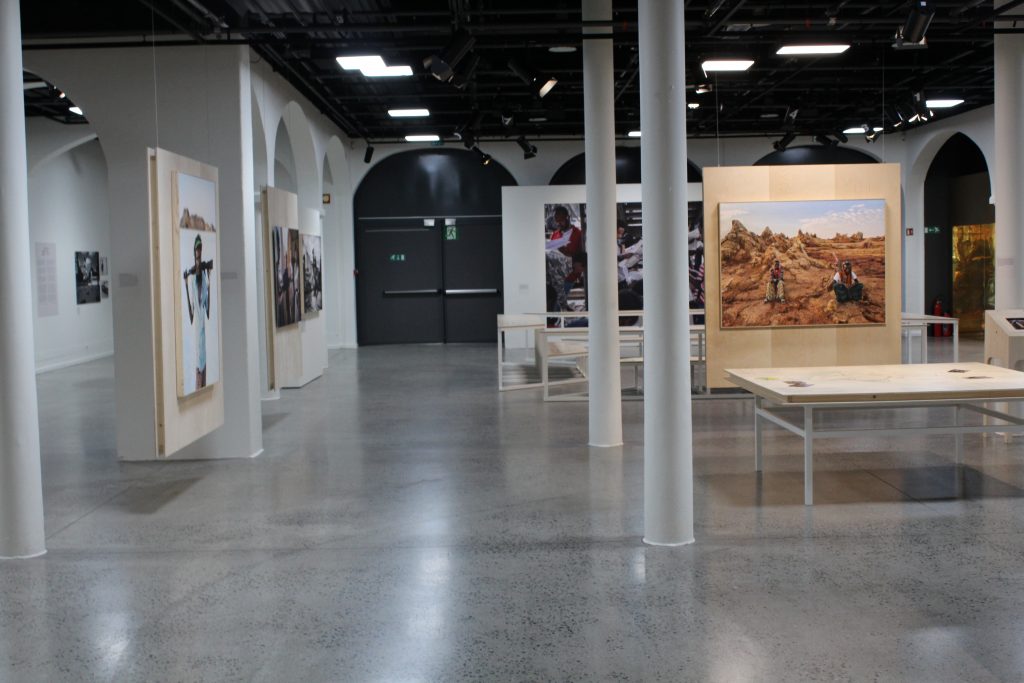
This was one of the first stops on our trip. Every year, the museum updates its exhibit for the current Nobel Peace Prize winner. In 2019, that winner was Abiy Ahmed Ali, Prime Minister of Ethiopia, for his work on resolving the border conflict with Eritrea. I learned a lot about the situation there and why his work has been important. The exhibit also features art and information about the region – it was extremely educational.

Part of the exhibit about Ethiopian art and life.

Upstairs, they have the previous year’s exhibit. The winners in 2018 were Denis Mukwege and Nadia Murad for their work in ending sexual violence as a weapon of war. This was a hard exhibit to walk through.

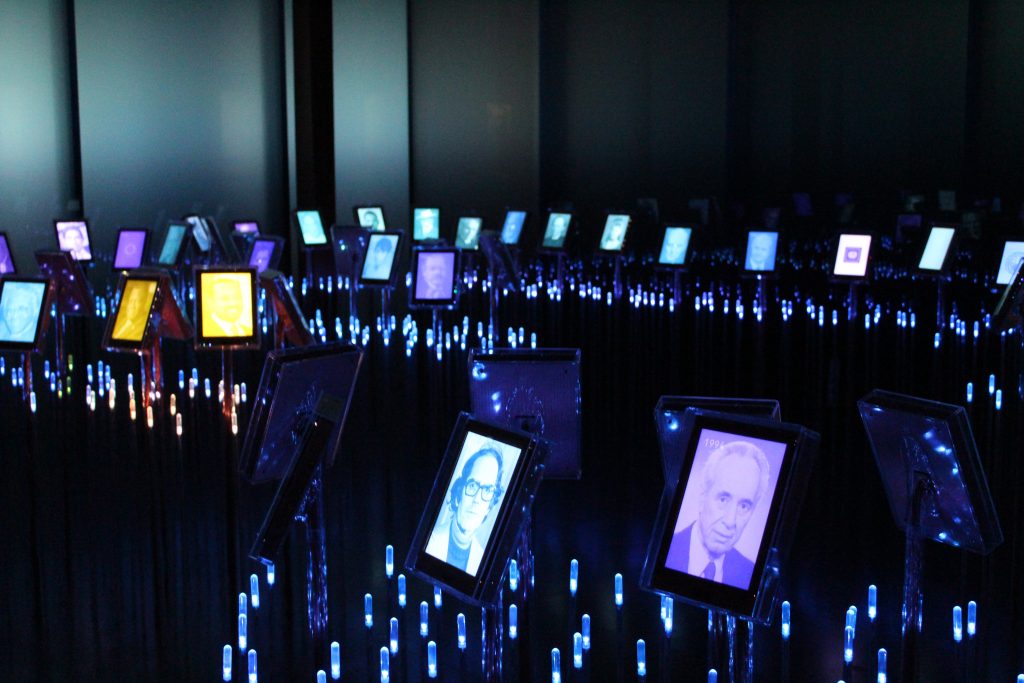
Along with the previous exhibit, there’s a hall with every Peace Prize winner and a description of why they won and a quote from them. The hall is dark, with lights forming a path, and the winners aren’t in chronological order, you can explore them pretty freely.

The hall of previous winners

What I really loved about the Nobel Peace Center is what I love about the Prize itself: there are some really terrible things happening out in the world, and seeing the people fighting against it gives me some small amount of hope.

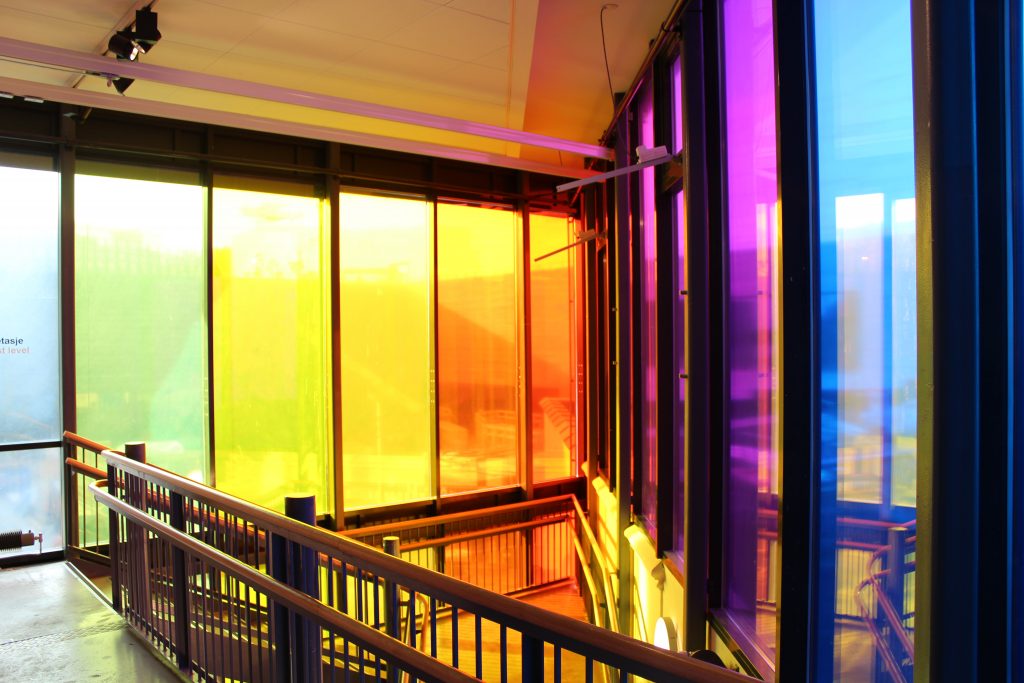
This was a very colorful stairwell.

Astrup Fearnley Museum

Next stop was the Astrup Fearnley Museum, a private art museum with some really interesting artwork; stuff ranging from morbid (a cow and calf split in half, in formaldehyde tanks) to bizarre to funny (a steel plate with “HOLE IN HEAD” spray painted on it). Fun to walk through.

Akershus Fortress

A military fortress from the middle ages. You can get some pretty amazing views of the city from the walls.

Trondheim

We left Oslo by train, and after a 7-hour ride, we arrived in Trondheim. Unfortunately, we didn’t have a lot of time here, so we only got a short time to visit one museum…

Rockheim

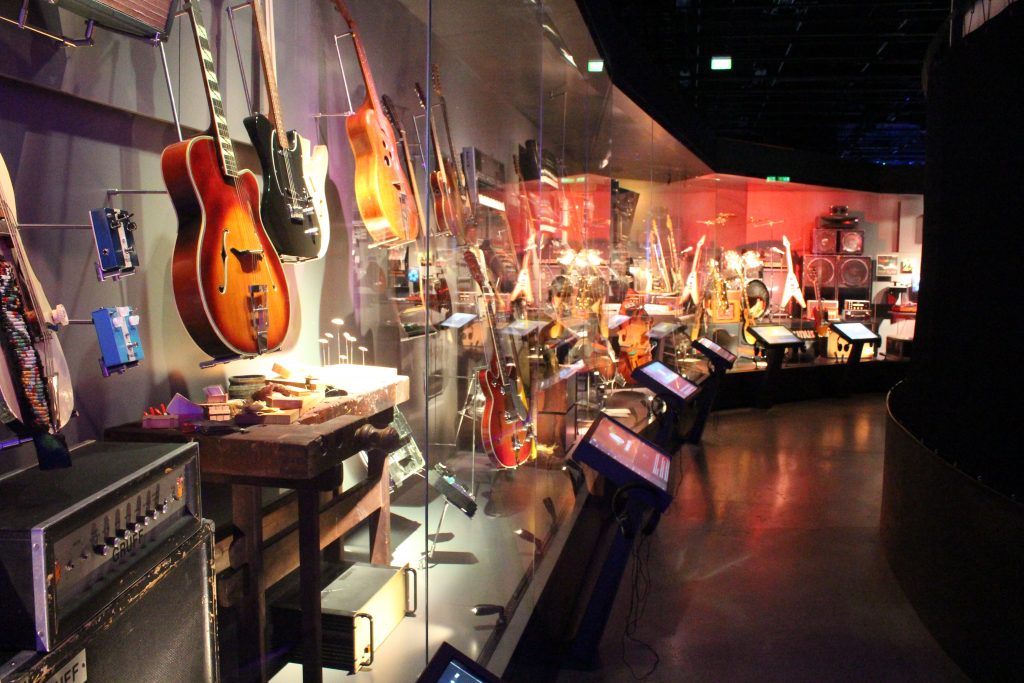
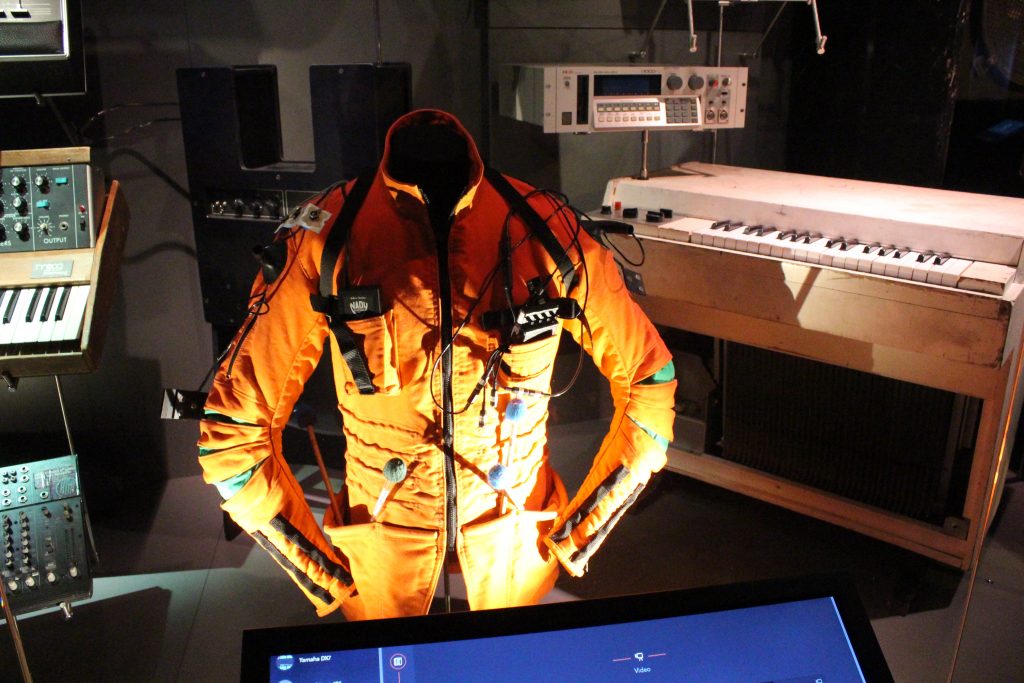
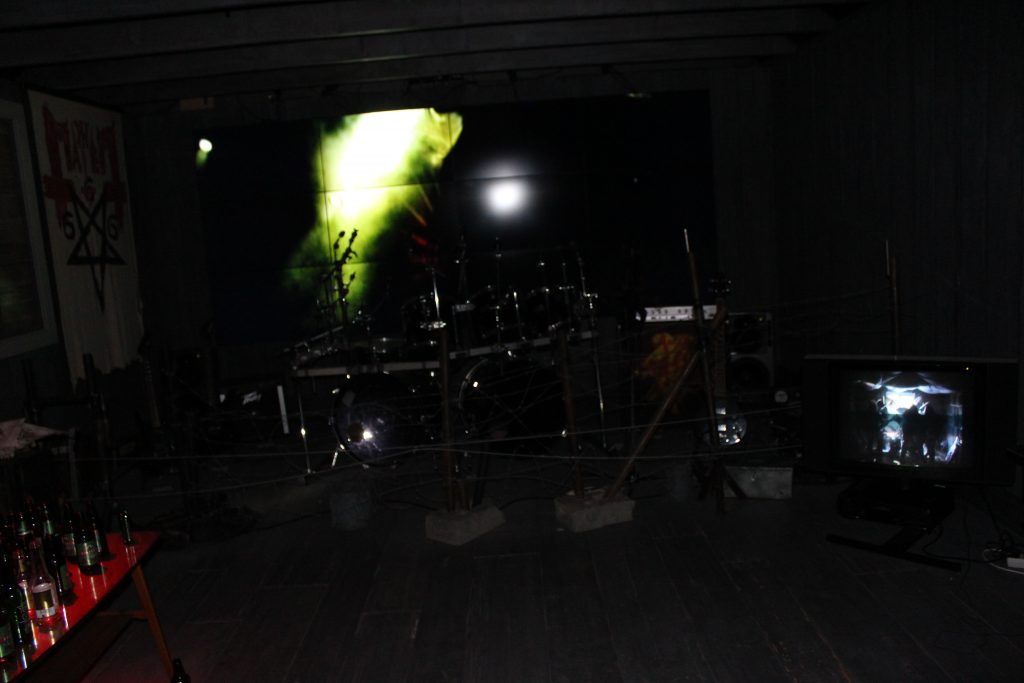
This is a museum about the history of Norwegian music. The exhibits are interactive and a lot of fun. We only had a short 45 minutes here. They recommend an hour and a half. We think we could have spent 2-3 hours here easily.

Wall of instruments. On the screens, you can read about the instruments, hear songs they were used in, and see video clips.
The metal room.

Fjords Cruise

Up next was a two-day cruise along the fjords with a stop in between.

The Fjords

The fjords are really beautiful from sea. It was cold, but worth heading out regularly to get some photos.

Lofotr Viking Museum

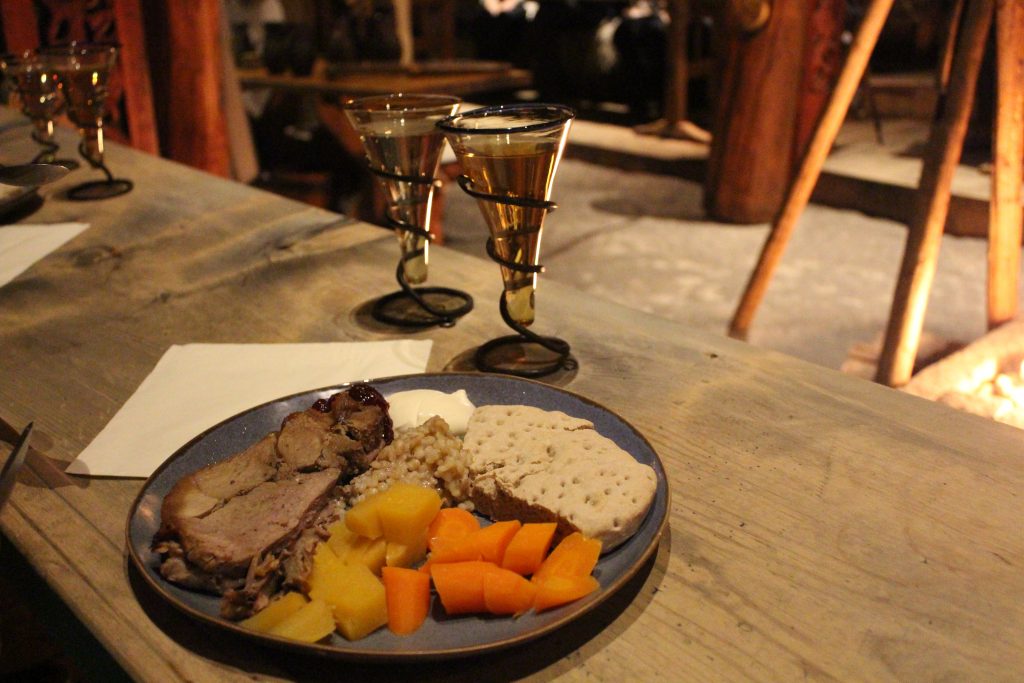
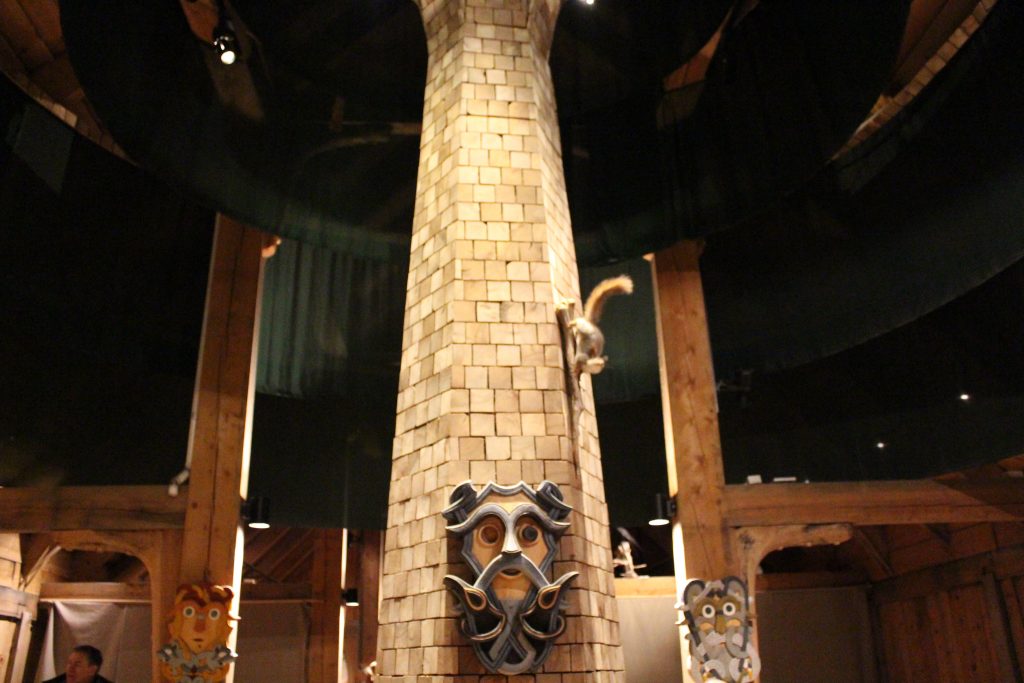
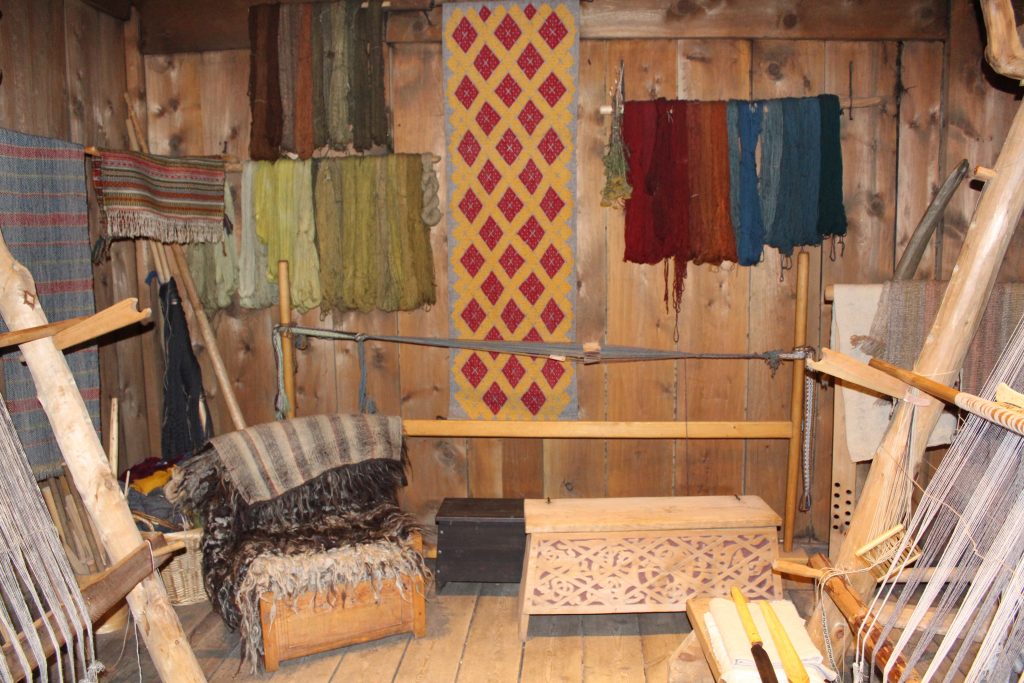
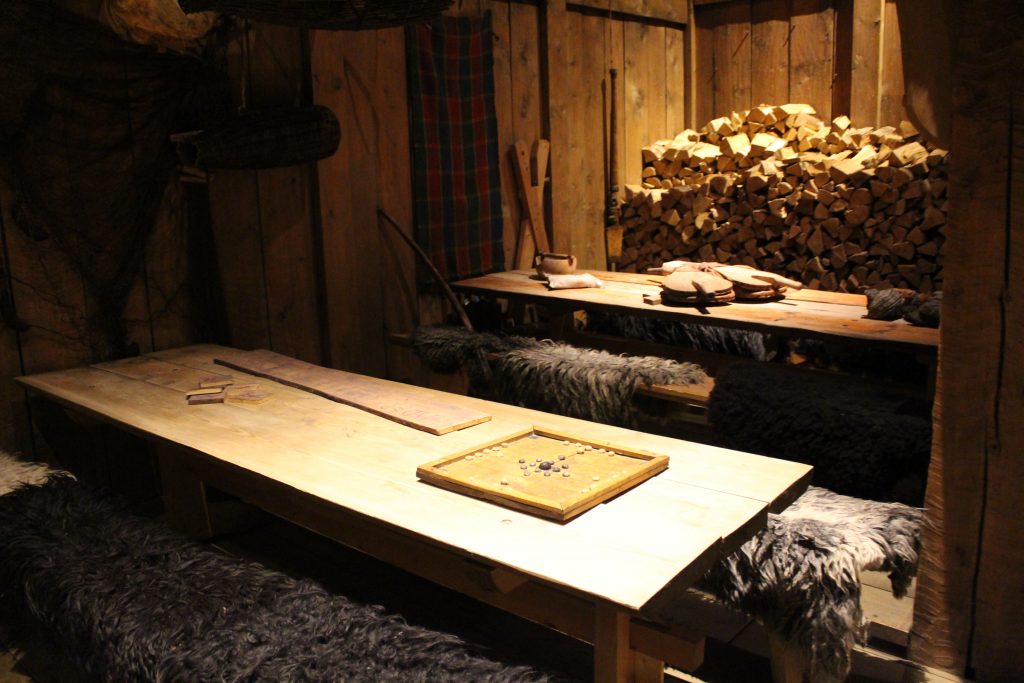
During the cruise, we stopped at the Lofotr Viking Museum, housed in a recreation of the largest longhouse ever discovered. Here, we got to experience a Viking feast, hosted by the lord and lady of the house. There was a sacrifice to the gods (some flammable liquid tossed into the fire), a little music, and a nice show. It was a lot of fun, and the meal was great.

Most of the longhouse has exhibits with various Viking tools and artwork.

Tromsø

The largest city in the arctic circle in Norway (third largest in the world). I think the highest temperature we had here was -4°C (24.8°F). This was where we were really excited to be.

Northern Lights Chase

The highlight of our trip, and our guide for this was really great. He’s the sort of person who, despite having done this for years, gets excited like it’s his first time when he sees the aurora. He had great tips for how to set up your camera and even had spare tripods for us to borrow. Also, fun fact: batteries don’t like the cold. It got down to -7 °C, and the battery stopped supplying a charge to my camera. I had to warm it up several times to get a few minutes at a time.

Once I had a tripod, I could take some proper photos.

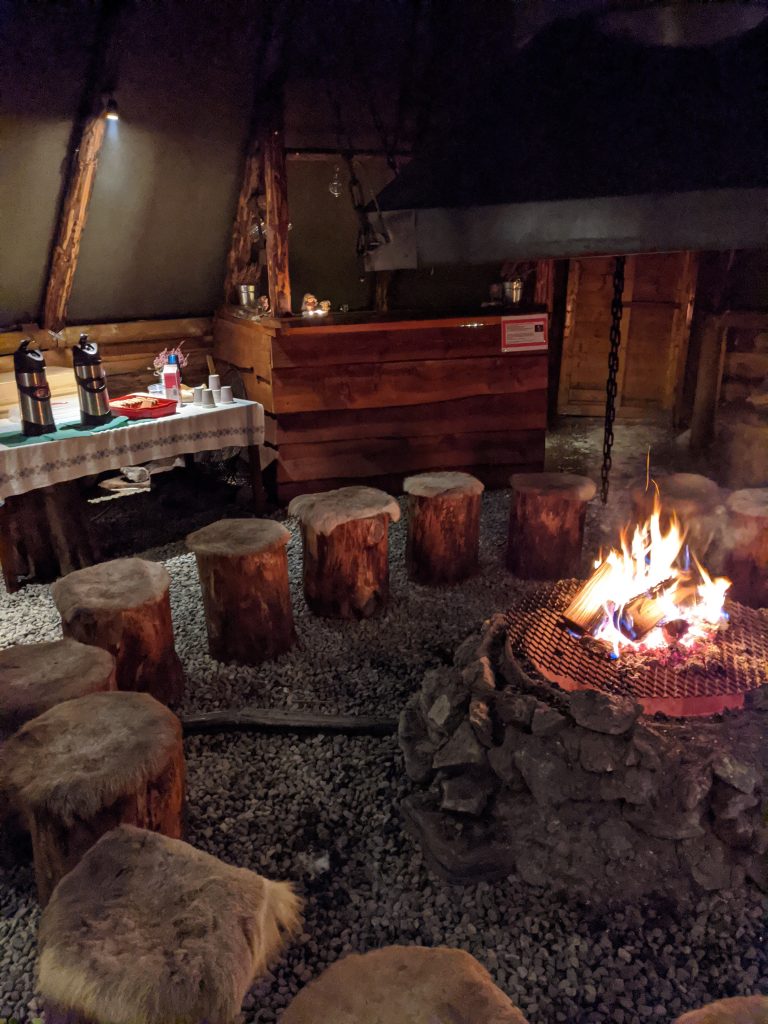
Our trip here was via Tromso Friluftsenter, and if you ever want to go see the northern lights in the arctic circle, I can wholeheartedly recommend them. The owner has some land with a lavvu (a Sami structure) they use for the groups, where they had a fire going, along with coffee, tea, and cake. (They apparently have parties there, too.)

Cozy.

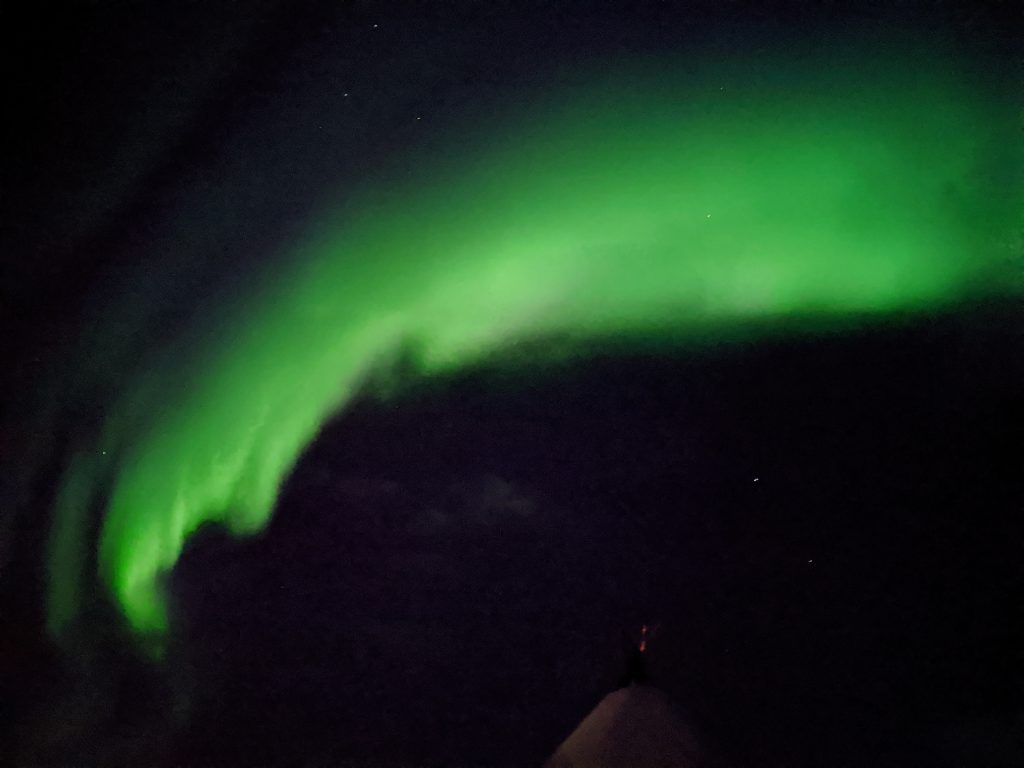
What I’ve learned about the aurora is that what you see in pictures is brighter than what you see with your eyes because they’re longer exposures, however it’s when the aurora gets active and moves in the sky that it gets really exciting, and photos can’t capture that. It’s really special to be able to see it yourself, so if you ever have an opportunity, take it.

Also, phone cameras are incredibly good at taking aurora photos now. Crazy.

Not the greatest photo, but it was taken with a phone!

Reindeer Sledding

The next day, we rode out to a small camp where a Sámi family keeps a reindeer herd. We learned a lot about the Sámi on this trip. Reindeer herding is a traditional Sámi occupation, though only a small amount of Sámi actually do it. All reindeer herding in Nordic countries is legally reserved for the Sámi people, so pretty much every reindeer you see is owned by a Sámi.

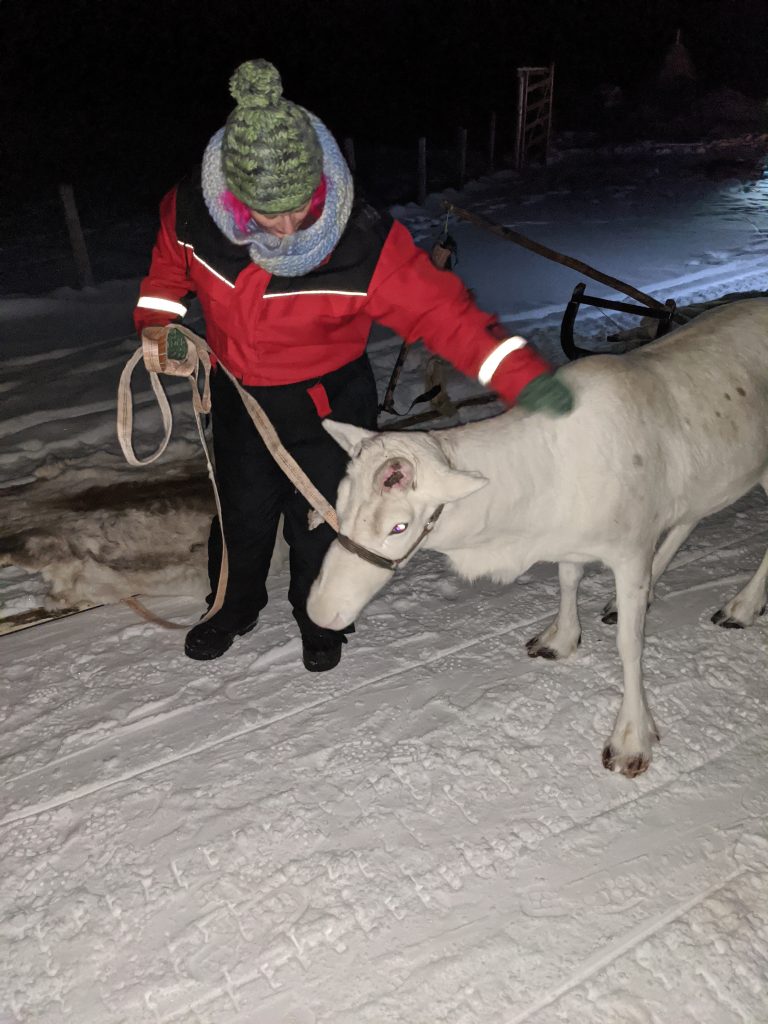
Reindeer are smaller than I thought, but they’re cute and some can be very friendly. My wife got to take a reindeer out to our sled, and then we went on a short trip out into a valley before coming back.

This guy was grumpy and was pulling the sled behind me the whole time. He tried to get my feet with his antlers a few times.

After the reindeer sledding, we came back and got a warm meal, then it was back in the bus for the trip back to Tromsø.

Oslo, Part 2

After Tromsø, it was back to Oslo for a few more days. We visited Bygdøy, which is called “Museum Island” because of all the museums there.

Viking Ship Museum

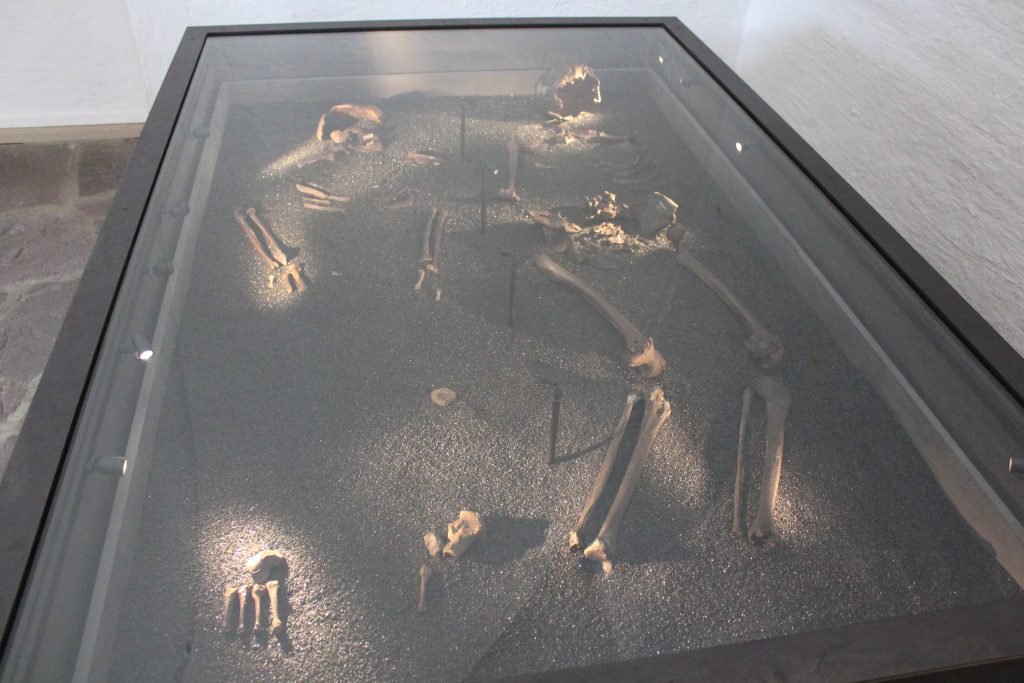
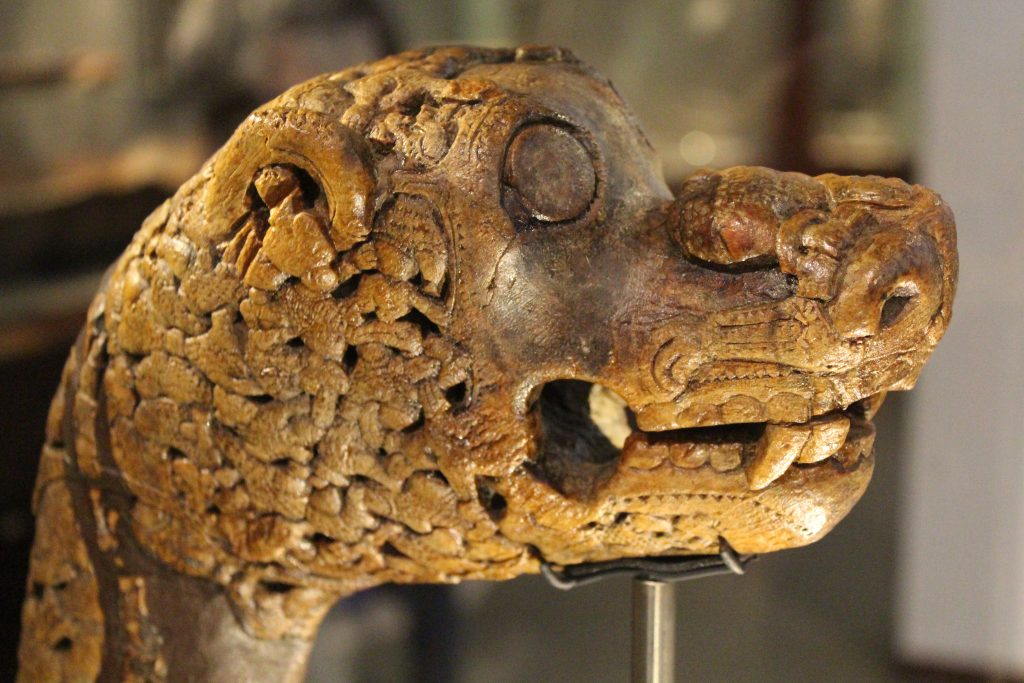
The Vikingskiphuset (literally translated “The Viking Ship House”) has three Viking ships on display, as well as a lot of artifacts. The ships here were found in burial mounds, and although they had been looted during the Viking Age, they still had well-preserved fabric and tools.

The Vikings believed you’d need ships, tools, and food in the afterlife, so these mounds had sleds, axes, beds, baskets for food, and animals. These were also mounds for some very prominent people; one was buried with 12 horses.

Norwegian Folk Museum

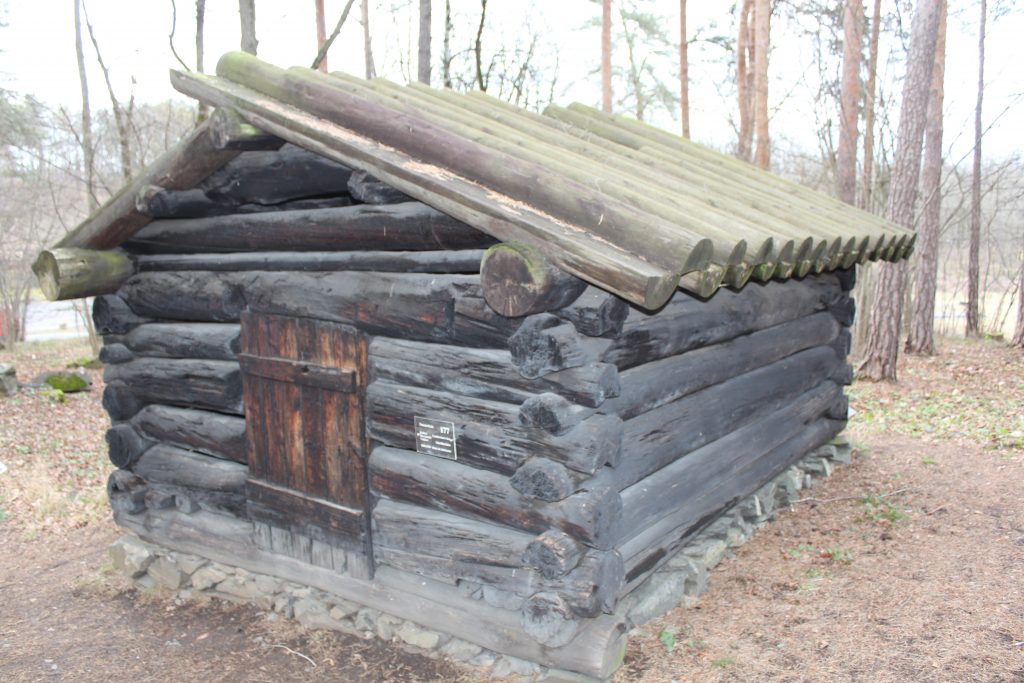
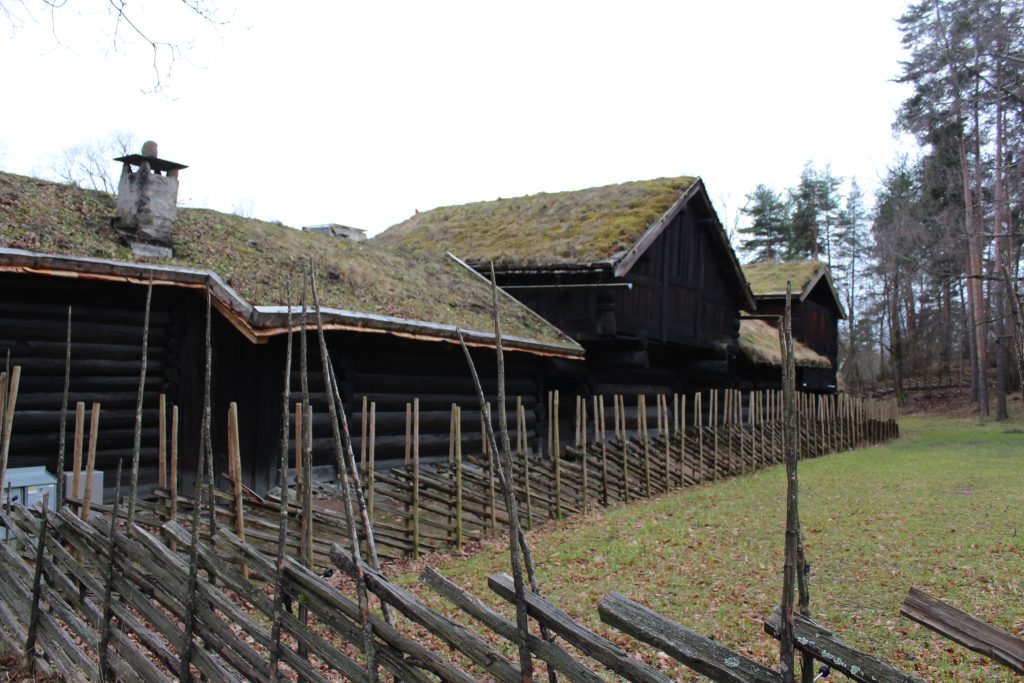
The folk museum had houses and structures from much of Norwegian history. During World War II, Nazi troops burned much of the housing that existed, and the variety of houses that existed prior were replaced with standardized, generic structures during reconstruction. The museum preserves the history and variety that was lost.

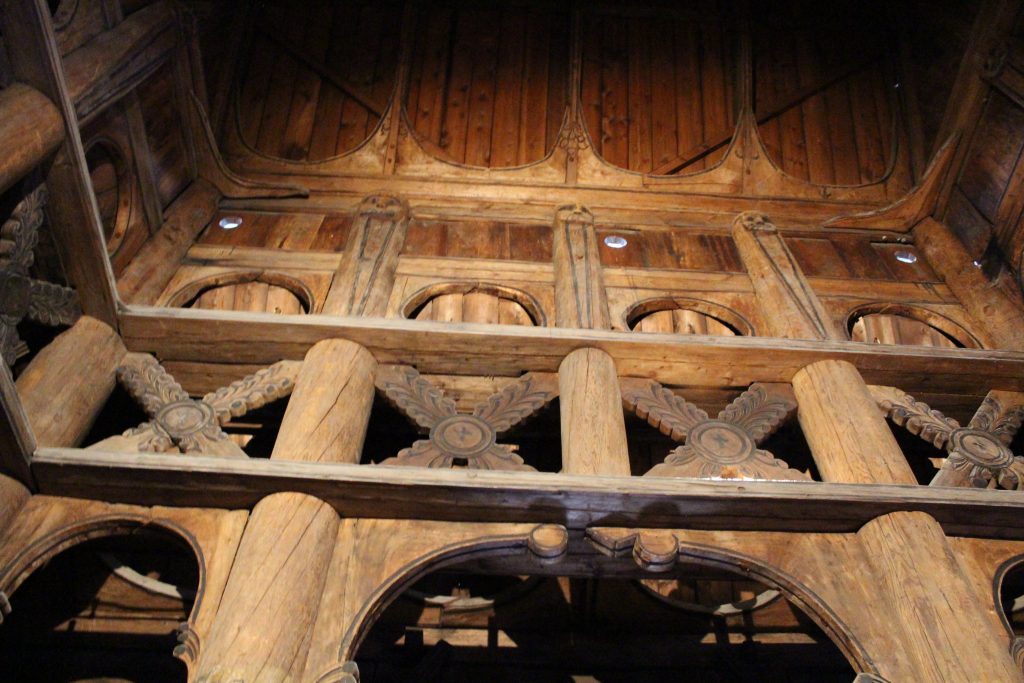
The most interesting structure here is the Stave Church, moved in the 1880’s and rebuilt. I just love the architecture, both inside and out.

Inside the Stave Church

There were also some indoor exhibits, including a large exhibit about the Sámi people – their culture, history, fight for rights, and modern Sámi in society.

Some traditional Sámi clothing.

Food

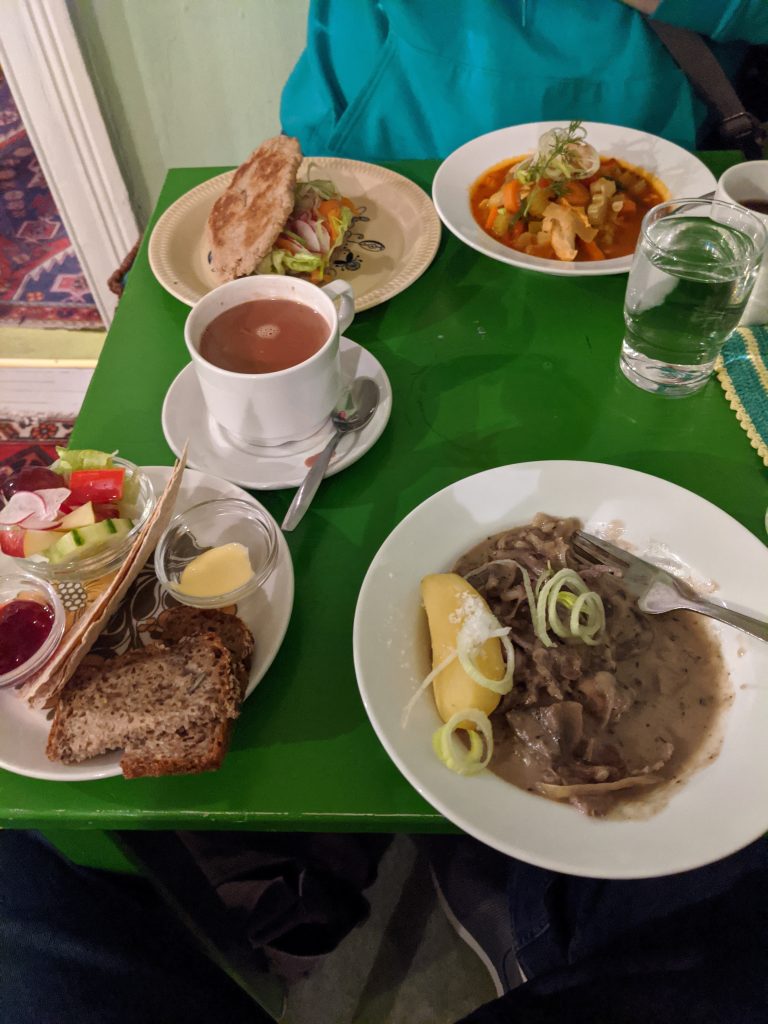
We tried to stick to more traditional Norwegian food during our trip. We ate a lot of salmon. We also got to try reindeer, fish soup, and raspeballer (Norwegian potato dumplings), and brunost – brown cheese.

Our meal at Baklandet Skydsstation. At the top right is fish soup, and the bottom right is reindeer stew. The top left is klapp-kak, a traditional Norwegian bread, filled with veggies, cheese, and salmon.
Raspeballer in the top right, along with lamb, sausage, and “mashed swede”. I have no idea what “swede” is, but it was tasty.

We also discovered a new favorite candy: Stratos. It’s chocolate with air bubbles in it (I don’t know how else to describe it) and it’s delicious.

Television

We made it a point to watch some local TV while we were in Norway. We watched a miniseries titled Magnus about a portal that opens to the world of the trolls, and a few that come through. It’s funny and bizarre (and has won some awards).

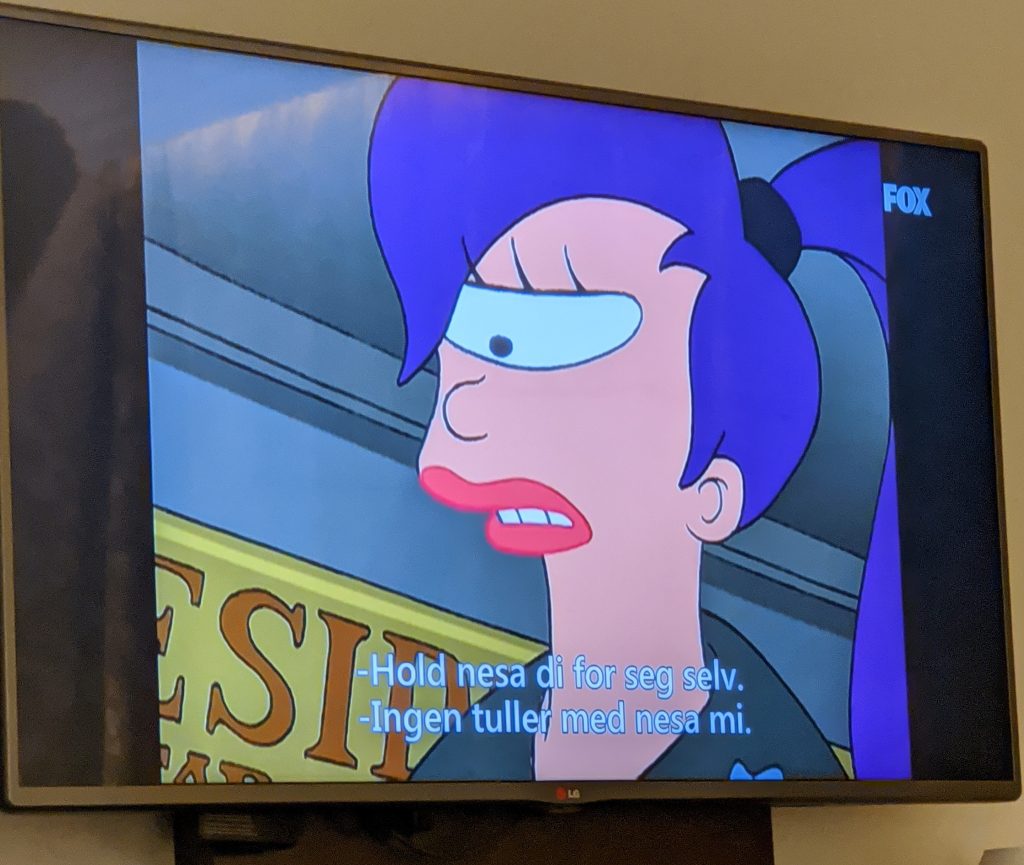
There was also a lot of American TV over there. Watched some Whose Line, Futurama, Family Guy, and other random shows that were on (all with Norwegian subtitles, of course).

“Keep your nose to yourself”
“No kidding with my nose”
Not a perfect translation.

There were a few ads that were hilarious. Our favorite being this one for a licorice drop.

Miscellaneous

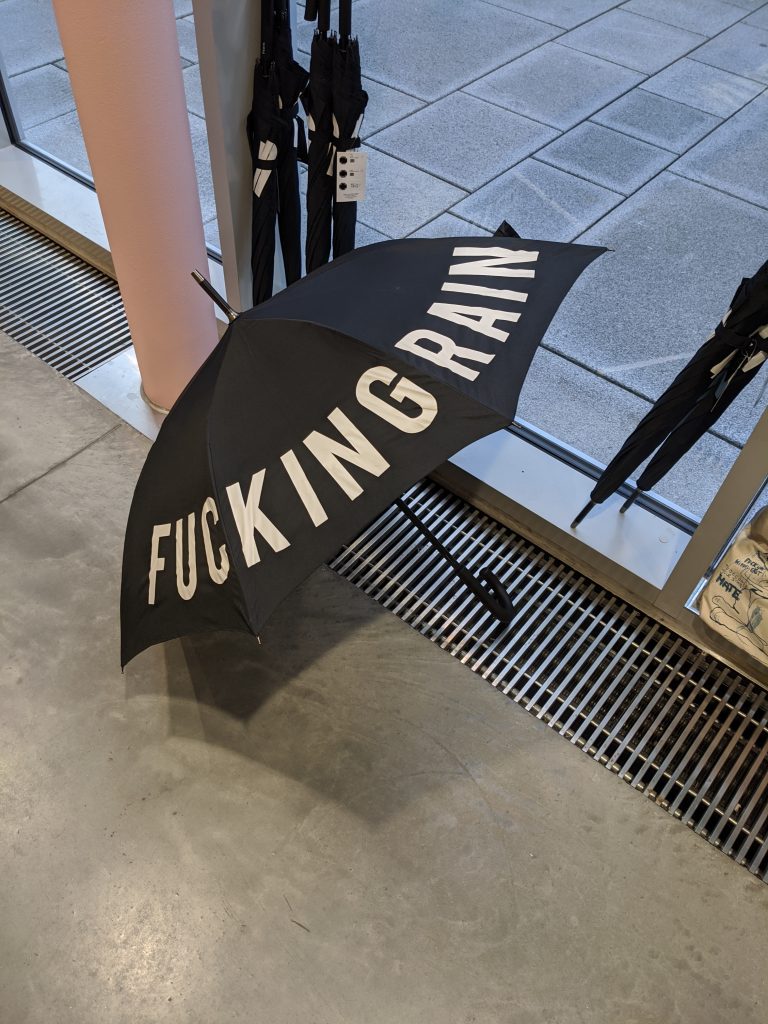
I wanted this umbrella so bad.
Categories
Life

I bought a MacBook

About a week ago, I bought a new MacBook Pro. It’s been years since I’ve owned a laptop (over a decade) and I’ve wanted one for a while – I need a Mac to publish apps for iOS and my old Mac Mini is cumbersome to use for that purpose; a MacBook is much more convenient. I’ve also never really used a Mac before. I mainly used my Mac Mini as a media center, so I rarely interacted with the OS. With all that in mind, I decided I’d do some blogging about what I like, what I don’t like, and what I experience as I get used to my expensive new toy.

I’m going to start with my favorite feature thus far: the “Force Touch” trackpad. While I’m not sure about the name (feels to Star Wars for me), I love the device. I know it’s completely stationary, but it does a great job of making it feel like it’s clicking. The extra “deep” press also provides a new way to interact with things and it’s great where it’s used… Which is the only downside: there are very few places where that extra interaction is actually made useful. With that said, however, the trackpad works great – it feels amazing and works wonderfully.

I’m also loving the multiple desktops and “Mission Control” view of all my desktops and windows. It’s easy to set up and use, and I’ve already organized different desktops for different tasks. My only disappointment is that I can’t name the desktops to help me organize; “Desktop 1” through “Desktop 4” is kind of boring. (For what it’s worth, the next update for OSX, El Capitan, seems to include this feature.) Switching between them is a breeze, though.

I started out hating “Launchpad”. I’ve never been particularly fond of the iOS home screen (I don’t think the wall of icons is a particularly elegant view), and I didn’t think a desktop OS would benefit from it. After using it for about a week, I’ve grown used to it. I see it as a replacement for the old “Applications” folder – just a list of all your applications. It’s customizable enough, though some apps create duplicate icons (I’m looking at you, Blizzard) which is annoying because there’s not an easy way to remove them. Steam has issues getting icons set up properly too, so it needs a lot of babysitting to get the icons to show up properly. The Dock still holds the apps I use most often, so I don’t have to visit the Launchpad unless I’m opening an app I don’t use very often.

The hardware itself is fantastic. Fast, light, durable, and pretty. The speakers sound good and the display is beautiful. The power adapter is wonderfully designed (definitely the best cable management in an adapter that I’ve seen). The MagSafe connector works fine. I’ve very rarely had a problem with tripping over cables but I know I’ll be thankful when it eventually happens and it keeps me from yanking my laptop off a table.

In fact, my only major annoyances so far have been with XCode, but I’m planning a separate post for that. I’ll post more in the next few weeks if I find anything new I especially love or hate, but overall I’m happy with the new laptop.

Categories
Life

Happy New Year!

Like most people, I like to make some resolutions every year to work towards. Unlike many people, I try to make sure mine are realistic. So this year, here are a few things I’d like to do:

Blog More
I like writing but I’d never claim to be very good at it. I’ve written little stories in the past and I’ll come up with storylines in my head (usually for games), but I rarely try to create anything “complete”. And while blogging isn’t the same as writing a story, the more I write the better I’ll become. So this seems like a good place to start, and more importantly: low effort and fun. To that end, I’m planning on blogging a bit more. Maybe even get back into Twittering, since I’ve been doing much less of that lately.

Finish Tunnel Racer’s Rebirth (Or at least get closer.)
I’ve started a draft for a blog post about Tunnel Racer’s rebirth as 8 (which I think is the current working title for the game), which will go into more detail about what’s been done since my last post about Tunnel Racer. I’ve been slacking a bit on the project – between work and life I just haven’t felt the same urge to work on it. That said, I’ve been itching to get back to it, and I want to put some real effort into finishing what needs to be finished. It’s come a long way since the end of Tunnel Racer, but there’s still tons of work to do.

Restart Work on BattleGrid
Between work on Tunnel Racer’s new incarnation, I’d like to go back to working on BattleGrid. I have some ideas for ways to change it that would make it much more fun. I never wanted to abandon BattleGrid before, but it was getting too complicated for me and I was starting to struggle with it. Now that I’ve got some new tools and some new ideas, I should be able to fix it and improve on it.

Finish Some Games
I have a huge backlog of Steam games to play, and a giant wishlist on Steam at the same time. I want to power through a few of those games so I can get them out of my backlog, and clean up my wish list so I don’t have as much junk in there. I have a bad habit of wishlisting anything that looks remotely interesting, which ends up being just about everything.

There’s always more I’d like to do, but these seem attainable. The ones I’m really hoping to hit are my development-related ones, since I still want to get a game finished, and as I’ve said every year for the past few years: this is the year I finish and publish one.

Categories
Life

Merry Christmas!

Every year for Christmas, my parents try to do something unique to make opening all the gifts a bit more fun. Most of the time they just work within a theme (last year all the gifts are labelled with our Hawaiian names after a my parents took a trip to Hawaii) or there may be some interesting gift packages (a Pirates of the Caribbean blu-ray with a giant foam pirate sword and gold doubloon candies), but this year I was completely blown away: My parents created a Christmas dice game.

We started with my dad explaining he rules. There was a die that he had relabeled with a label maker, with sides saying “card”, “stocking”, or “coal”. Each player (there were three of us) sat around a table and took turns rolling the die. While there were no losers – everyone got all their gifts – we decided whoever made it through all their gifts first was the “winner”.

The "Coal" side of the Christmas game die.Rolling a “coal” meant you lost your turn.

The "stocking" side of the Christmas die.The tree was divided into three sections using gold ribbon. If you rolled “stocking”, you got to take one stocking from your section of the tree. The stockings had gifts like gift cards or lottery tickets (something my parents did to fill out the stockings – lottery tickets are an unusual gift for us).

The "card" side of the Christmas die.Each player had a deck of cards, and rolling “card” meant you got to draw one.

 
There were three different types of cards:

Sonic Generations 3DS clueGift Cards
Some cards had a letter-number combination that matched a gift and a clue about the gift. These were really hard and often very obtuse (we weren’t really expected to guess most of them). Whether or not you guessed correctly, you still got to open the gift, but if you managed to figure it out, you got to draw another card.

The "Give a gift" card“Give A Gift” Cards
Since we players had no idea this was coming, there were cards that simply said “Give A Gift”, letting us choose one of our presents to give to someone else. This let us make sure that my parents (who weren’t playing the game) still got their gifts along with the rest of us.

The "Give everyone a Christmas hug!" card“Christmas Hug” Cards
Finally, there were cards saying “Give everyone a Christmas hug!”, where you stood up and gave everyone a hug. No gifts, but still one of our favorite cards. There may have been too many of these, but many hugs were given.

 
Being a lover of card and board games, I really enjoyed this. We all had a ton of fun and everything worked out perfectly. Apparently my parents had been planning this all year and despite some setbacks late in the year (life surprises you sometimes), everything went really smoothly and the planning put into it really shows. I can’t wait to see what we do next year, even if it’s the same game.

Merry Christmas, everyone!

Categories
Life

Weight Loss

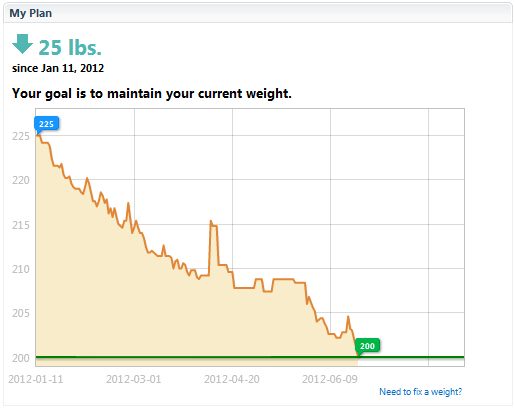
I just achieved my goal weight loss of 25 pounds since January. I’ve been pretty happy with the results, and figured I’d write a long post summing up what I’ve done and what I’ve learned.

My Goals
I started in January at a weight of about 225lb. I’ve weighed in the 220s for a while – at least since college. I picked 200 because it seemed like a good weight to strive for. I didn’t want to try any specific diet – I just wanted something simple and sustainable so I could develop some good habits. And mostly, I just didn’t want to work very hard at it.

How I Did It
I don’t expect this to work for everyone, but these are the major things that worked for me.

LoseIt!
Easily the most important tool that helped me was LoseIt! on my iPhone. LoseIt tracks your weight and what you eat. You can set up a goal, and LoseIt will adjust your daily calorie budget to meet that goal. It has a giant library of foods already in it, so adding new foods was always easy – usually scanning a barcode brought up exactly what I was eating.

Tracking what I ate had a few important side effects. I learned what I could eat that was “cheap” (calorie-wise), and how much I could eat. This meant going hungry a few times, but I quickly got used to the lower calorie consumption.

Measure your food
I bought a digital scale, got out my measuring cups and spoons, and measured everything I ate. After doing this for a month or two, I started to learn how large serving sizes were and could better estimate my consumption.

I didn’t change what I ate, just how much I ate. I still eat plenty of cereal, pizza, french fries, and tacos. I just eat them in moderation and I’m acutely aware of how much I can eat before going overboard.

Lean Cuisine is cheap
Lean Cuisine, Healthy Choice, and Smart Ones made up the bulk of my meals because I’d eat them at work for lunch. They’re pretty cheap, both dollar- and calorie-wise. When I can feel satisfied from a 300-calorie Lean Cuisine meal, there’s a lot more calories I can spend elsewhere.

Don’t be strict
I occasionally took a break from my diet. During my trip to PAX, I left the diet behind entirely and ate what I wanted (and what was available). Occasionally I’d go out and eat a giant cheeseburger or pizza. This reduced any stress of trying to stay on a diet, and was a bit of a reward for my progress. Granted, I had to immediately get back on the diet the next day.

Don’t get discouraged
When I got back from PAX, I had gained 11 pounds. That’s a pretty big blow, but I didn’t let that discourage me, and I got back on my diet the next day. Those 11 pounds quickly bled back off. I was fortunate that I was never terribly serious about the diet – it was just something I wanted to try – so setbacks like this didn’t phase me.

Side Effects
There have been some interesting side effects I didn’t expect starting out. For one, a lot less food will fill me up. I guess my stomach got used to the smaller amount of food and shrunk a bit, which made the whole diet easier. I also have a lot more energy, I sleep better, and I feel better in general. I assume this is all because I’m carrying around 25 fewer pounds, which makes a pretty huge difference over the course of the day.

People have apparently noticed, too, which feels odd. It’s rare when people ask me if I’ve lost weight, but coworkers have been asking about it and congratulating me when I tell them how much I’ve lost. It’s a nice boost when someone notices your progress.

Stats
Some miscellaneous statistics:
Total weight lost: 25 lbs.
Time: 164 days (January 11, 2012 – June 23, 2012)
Average weight loss per week: 1.05 lbs (0.15 lbs/day)
Average calories consumed per day: 1478

Weight loss graph from LoseIt.com
Weight Loss Progress from January 11 – June 23

In Summary
I told people several times during this diet, “If I had known it was this easy, I’d have done it a long time ago.” I want to stress that I got this weight loss simply by monitoring what I ate. I didn’t add any exercise (because I’m lazy), and I didn’t change what I ate (because I like what I eat). The result has been a simple, sustainable diet that I can continue with for as long as I’d like.

I know I still need to add some exercise and probably eat a bit healthier overall (more green stuff, probably), but I’ve been pretty pleased with how a few simple changes have resulted in a pretty dramatic shift.

And maybe someone will come along, read this, and say to themselves, “I’m lazy and cheap, maybe I’ll give this a try, too!” And maybe it’ll work for them. And maybe I can write a dieting book and become filthy rich. And if not, I’ve at least got my own success to be proud of.

Categories
Life

I don’t think my efforts to relate with others are working.

Social interaction isn’t exactly something I’m good at. Lately I’ve been trying to relate to others by saying something like, “oh, I know what that’s like.” It’s supposed to be meant as a “I feel ya, bro”, but I think it’s comes across as more of a “Hey, let’s make this about me.” …Which makes me feel like a douche. Case in point:

Them (a coworker): “How’s it going?”
Me: “Pretty good. How ’bout you?”
Them: “Okay… I’ve got a cold, so I’m feeling pretty exhausted.”
Me: “Oh, I know what that’s like… I had a cold the last week of December.”
Them: “Oh man, that sucks…” <--- The point where I realized I've made a terrible mistake. Them: "I sent an email yesterday saying I couldn't make it in, and..." (there was a bit more idle conversation here) As I walked away, I realized I had never said "Hope you feel better" or anything nice like that... So I'm fairly sure I came off as a douchebag. I'd go back and say something like that, but I'm pretty sure that would just come off as weird, making me a weird douchebag.