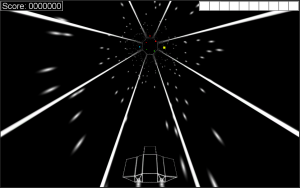
Not much new tonight. Slight adjustments to speed and a boost when the game starts (so you don’t have to wait so long). I’m going to work on some new vehicle models before I call it a night.
Categories
Not much new tonight. Slight adjustments to speed and a boost when the game starts (so you don’t have to wait so long). I’m going to work on some new vehicle models before I call it a night.
I think it’s time for a new ship. I did some sketching today and when I got home and modeled it, this is what I ended up with:
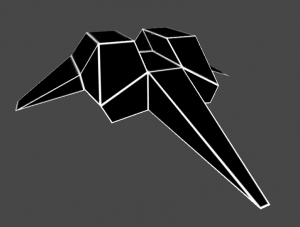
I like this design. It’s a bit sleeker with some steeper angles. You don’t see it quite like this in-game, though:

I also added some color to the ship engines. I’m not sure if I’ll keep it, though, since I have a nice monochrome thing going with the rest of the UI and effects.
I’m working on setting up a boost effect. I like what I’ve got (kinda like a sonic boom), but it’s not wired up properly yet:

I cut the max speed back from 10 to 5. At speed 10, you have no chance of survival – things are moving so fast you can’t react. At 5, you’re still moving plenty fast but have a good amount of control. I also added score tracking, so your high score and lifetime score are both tracked. Your lifetime score will be used to unlock features like modes and ships to pilot.

I need some better sound effects – I’m not happy with what I’m using. But those can be changed easily later. So I think my next task is going to be setting up some new ships to pilot.
Here’s the new one: Tunnel Racer v6a
I’ve tried out a few random things that haven’t worked, and I’ve begun adding totally new things. Today introduces game modes. I’m starting with two game modes: “Accelerator”, which gradually increases your speed over time, and “Sudden Death”, which starts your HP at 1 and removes health pickups.
No new screenshot – there’s nothing new to see.
Tunnel Racer v5a
Another night, another version. I’m really liking where this game is going. I’m finding it really fun to play myself (a good sign), and the tweaks I’m making to spawning and speed are creating a good difficulty curve. I think it’s still a little too easy, though. Right now I’m not interested in adding difficulty levels (I want to keep things simple), so finding a good balance is critical.

(On a side note, I’ve decided to simplify my version numbers. Instead of v0.4a, I switched to v4a. I’ve also gone back and updated my posts from this weekend.)
Still working on this game. Today I’ve added some new effects, new UI elements, music, a main menu, a pause button, and end game dialog. I also added support for touch (clicking/tapping the left or right half of the screen moves left or right), but it doesn’t make sense to use those controls on a PC.

It still needs some polish, but I think I’ll work on this for another week or two, get some feedback, and try to publish it.
UPDATE
And one final update before I finish for the weekend: Tunnel Racer v3a
I’m still toying with fonts, UI arrangement, and effects, but I’ve come pretty far and I think I’m close to having a final product.
So I woke up this morning and kept working on this new “Tunnel Racer” game. Aside from some annoying frustrations with PlayMaker (losing my changes…), everything has gone amazingly well. I’m really impressed by how well everything works. That’s said, here’s version 1a:
Blue blocks are points, green are health, red are bombs, and yellow speed you up (increasing your score multiplier). There’s a score, health meter, sound effects… It’s practically a game already.
Oh, and still not a single line of code.
So I decided to toy with a new idea for a simple game. In about an hour and without a single line of code, I managed to create this:

OK, so it’s not much, but I’m amazed I was able to create this is practically no time (I had to learn how to use a new tool, create the tunnel model, and create the animations) and without any code work.
Tunnel Racer v0 (pre-alpha!)
(Use the A/D keys to turn left or right.)
I used a product called PlayMaker that I bought on sale a while back. PlayMaker makes it easy to create finite state machines (FSMs) that react to almost anything, and what little I did here didn’t require any code. All I had to do was create a few events that were triggered by key presses, then a few other events that were triggered when animations ended. There are only three states – Idle, MoveLeft, and MoveRight, and two objects responding to the commands – the ship (the bomber model from BattleGrid), and the tunnel itself.
Creating this was fun and a good change of pace, so I might try to flesh it out into a real game. It’s a lot simpler than BattleGrid, so maybe I can get it done in a much shorter time frame.
It’s been a while since I did a BattleGrid update, and it’s probably about time I caught up.
The last few months have been busy with Christmas, moving, and other miscellaneous real-life stuff. I started seriously working on BattleGrid again this month, and I’ve made some significant changes.
I’ve replaced the factory units twice – first to little drones and then to bigger flying units. Units are all airborne now, which saves time when trying to find a path (they don’t need to navigate around structures). The new units are a gunship and a bomber. The gunship features twin machine guns – my first unit with multiple weapons. The machine guns target independently, so the gunship can attack two targets at once or focus both turrets on a single enemy.

The bomber has a four-torpedo “clip” – the first unit to use the “clips” feature in my weapon class. Once the bomber fires its four torpedos, it has to reload, so it’s defenseless for a short time.

The third unit I’m planning is an interceptor that specializes in destroying enemy units, but is weaker against turrets and structures.
Along with these changes, I made some significant progress on pathfinding, so the units move very smoothly over the grid, which is something I was having trouble with before.
Since these units worked so well, I’m going to introduce bosses to the defense game mode that are bristling with weaponry.
With the enemies being airborne, I had to update the gateway model where they spawn. I added a nice new particle effect with the change, which I really like – it’s all swirly.

I replaced the map border so it doesn’t take up so much space. The new border is a series of “nodes” that attach to the edge of the map. I’m not quite satisfied with them yet, though.
I also went through the projectiles and lowered the poly count a bit. I figured I didn’t need much detail when projectiles are tiny and only on-screen for short periods. I fixed a bunch of bugs that have been lingering as well, so there’s been a good bit of progress lately.
New Plans
So with these changes, I’ve been doing some thinking about gameplay and balance. It’s been very difficult to get the factory units (gunships and bombers) balanced with the turrets, so my plan for now is to disable the factories entirely, and use the units only for the wave (survival/tower defense) mode.
Wave mode itself needs some work, as it doesn’t feel quite right. I’m not sure exactly what’s wrong or how to describe it – there’s just something about the game mode that doesn’t feel satisfying. Aside from that, I’ll need to make changes to the structure list for wave mode, as certain structures are useless against the now-airborne units. The artillery, for instance, isn’t able to shoot at airborne enemies. My best idea right now is to replace the artillery with an expensive anti-unit flak turret. I’ll see how the next few months go before I make any final decisions about changes to the skirmish and wave modes, but I know something needs to be done to improve the feel of the game.
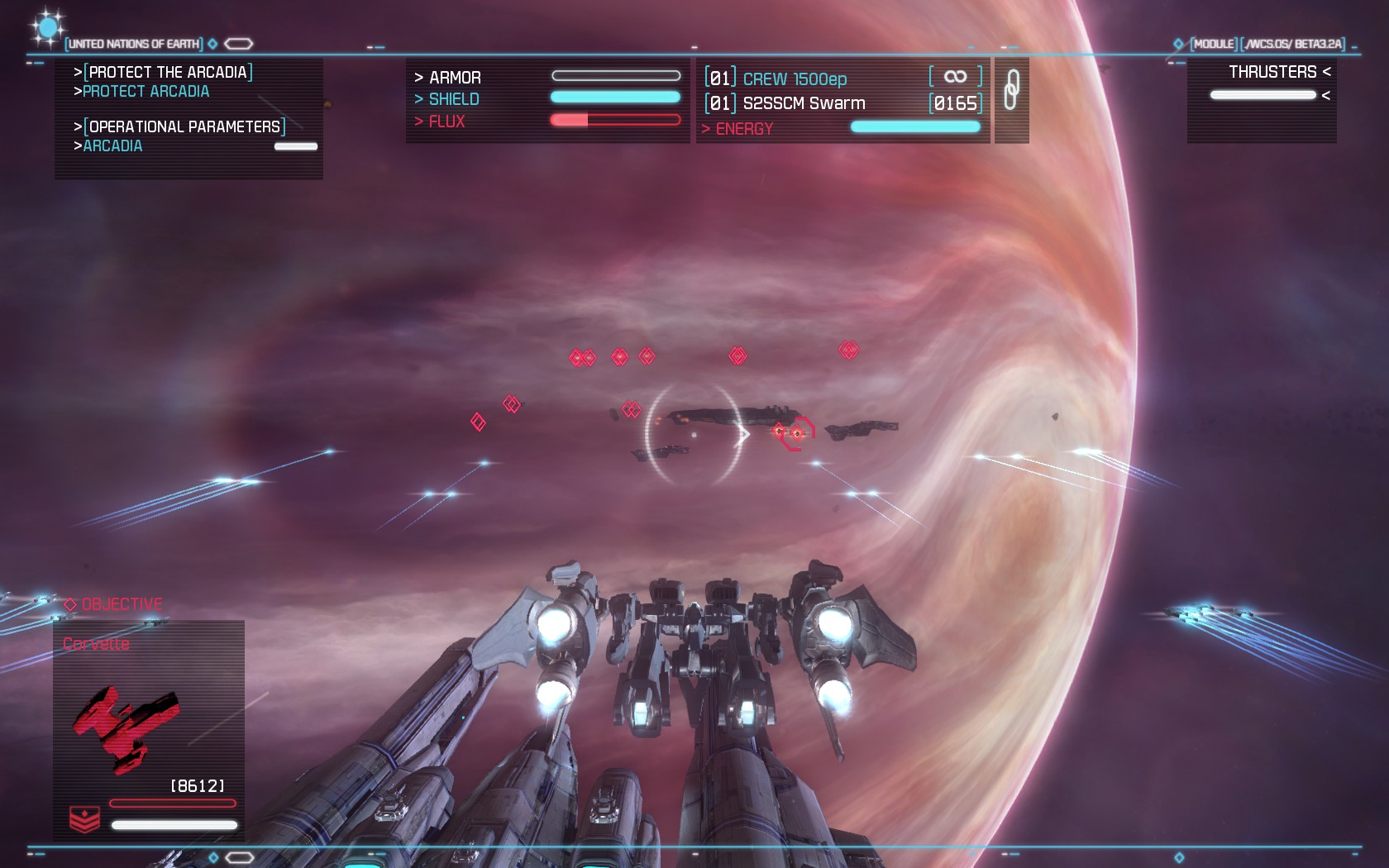
One game series that I look back on very fondly is Wing Commander. I absolutely loved those games, and played every last one of them. Then the series just died. There was a movie that should have been killed during its infancy and an XBLA shooter that was attached to the series only by name and the fighters themselves, but as far as I’m concerned, the series is still dead.
Spaceflight games in general have been few and far between, largely left to indie developers who have fond memories of Wing Commander and the like. And thanks to Kickstarter, we’re starting to see these games make a bit of a comeback in the indie game realm.
And so we come to Strike Suit Zero, with the tag line “Space. Combat. Reborn.” If this is the rebirth of spaceflight games, I think I’ll be pretty happy.
Gameplay
Strike Suit Zero is very fast paced. Throughout the campaign, you’ll fly four different ships: a fighter, bomber, interceptor, and the eponymous strike suit. Each ship has slightly different stats – the fighter is a balanced craft, the bomber is slow but armed with an unlimited number of capital-ship destroying torpedoes, the interceptor is fast and agile, and the strike suit… Well, I’ll get to that later.
You’re allowed to customize the weapons on your ship. Most ships have two primary weapons – a plasma cannon that does moderate damage to shields and hull, and a rapid firing machine gun (“rapid projectile emitter”) that chews through shields but does less damage to armor. As you progress, you unlock new weapons to fill these slots, though they’re just stronger or weaker variants with different stats.
The real customization comes in your secondary weapons, where you have a variety of missile and rocket systems to choose from. You can mix and match, or simply load up on a single type. Personally, I like the swarm missiles. They do low damage, but you get a ton of them and can lock up to 10 at a time.
The game is by no means easy. You’ll have to face enemy fighters, corvettes, frigates, cruisers, and carriers, and they’re all deadly. Luckily, there are checkpoints during missions where you will respawn if you die, with full armor and restocked ammo. Sometimes a few extra missiles make all the difference.
Large ships like frigates and carriers are armed with a number of turrets – flak, plasma, and beam cannons. You often have to prioritize which to target – flak turrets are going to chew you up, but that beam cannon is hammering away at friendly capital ships. However, once a capital ship has been relieved of turrets, it’s basically giant, slow-moving target practice.
The missions in the game give you a variety of tasks, from protecting capital ships, to assaults on enemy bases, to your standard dogfights. You can replay the missions whenever you like, attempting higher scores or unlocking upgrades for your ships.
The Strike Suit
I love this thing so much I’m giving it its own italicized section. The strike suit is a transformer, changing from a fighter form to a mecha-style robot with unlimited ammo. When you transform, the controls change allowing you to strafe, lock-on, and dodge. You’re not invulnerable, but in strike suit mode your damage increases significantly.
The controls for the strike suit work so well that it is perfectly possible to pull off moves you’d see in stuff like Macross or Gundam (or any anime with giant transforming robots). There were several times I’d race to my carrier as torpedoes were headed its way, arrive just seconds before the torpedoes would hit, transform, spin toward the torpedoes, destroy them all, transform back into a fighter, and blast away. It felt amazingly badass.
Of course, with so much power in strike suit form, there has to be a balance, and that comes in the limited use of the mode. The strike suit runs on “flux” energy, which slowly accumulates over time but can be filled much more quickly by destroying enemies. Once filled, it’s usually a good idea to transform and empty your flux so you can start acquiring more strike-suit energy. You can remain in strike suit mode as long as you like, but your weapons drain your flux energy.
The strike suit is armed with two weapons: a flak cannon that does significant damage, and a powerful missile that can lock on up to 40 at a time, across multiple targets. You’re only given 40 missiles at a time, but they recharge slowly. Your flak cannon will drain your energy more slowly, but it’s fairly inaccurate. Your missiles, on the other hand, drain energy with each lock, so how many lock-ons you can acquire is dependent on how much energy you have.
Graphics and Sound
The game is beautiful, with colorful backgrounds, detailed ships, and ribbons of color that trail fighters. Screenshots look gorgeous, but the game is just as lovely when it’s in motion.
Ships are also a bit color-coded. Friendlies all sport blue colors and trails, while enemies have red colors and trails. It’s easy to see where you’re needed most.
Sound is also fantastic. All the effects sound great and work perfectly in the style of the game. But the music deserves a special note. The music was written by the same person behind Homeworld’s soundtrack. It’s moody and dramatic and fits the story perfectly.
Controls
I’ve already touched on the strike suit controls, but I want to mention that all the controls work great. I played the majority of the game with a joystick (and I was overjoyed to have a game that works well with a real joystick), but I played the beta with the keyboard and mouse, which works surprisingly well. It takes some getting used to, with the mouse controls pitch and yaw, and the keyboard controlling speed and roll, but it’s fairly easy to understand, and probably a bit easier overall. (I still think the joystick was more fun)
Story
Honestly, the story is a bit generic, but not bad. The closest approximation might be Battlestar Galactica, but there are a lot of elements similar to other sci-fi stories. It doesn’t feel like there’s a lot of depth to the world (it’s no Halo or Mass Effect), but the backdrop for the game is fleshed out enough to be interesting, if a bit cliché.
Summary
I love Strike Suit Zero. It’s beautiful. It’s hectic. It’s fun. Sometimes the game felt difficult, but success was never out of reach. There are only 13 missions, but each can take an hour to finish at times (especially if you die a lot), putting it somewhere around 8-10 hours to complete. There’s not much here for replayability, other than the sheer enjoyment of the dogfights, which might be enough.
Strike Suit Zero retails at $20, which might be a bit high for an indie game, but it’s worth every penny, as far as I’m concerned.
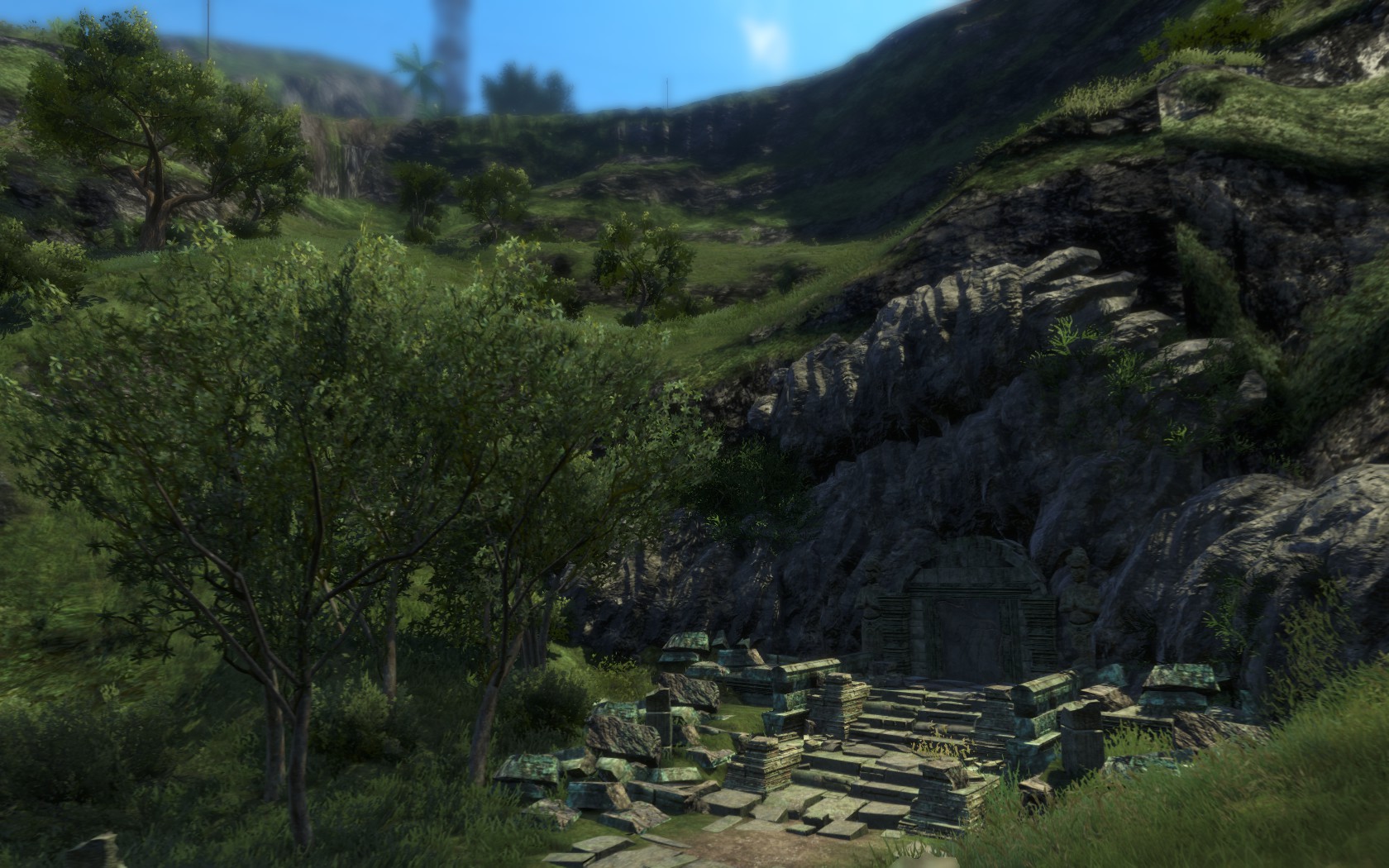
I came into Far Cry 3 without any expectations. I played – but never finished – Far Cry, and I never even started Far Cry 2. Far Cry 3 had me hooked within the first few hours, and quickly became one of the best games I’ve played in a long time.
Gameplay
Far Cry 3 is an open-world first-person shooter. As you play, you slowly unlock an arsenal of weapons from which you can carry four. These weapons can also be upgraded with various attachments – like silencers, scopes, or extended magazines – so you can customize them to fit your play style.
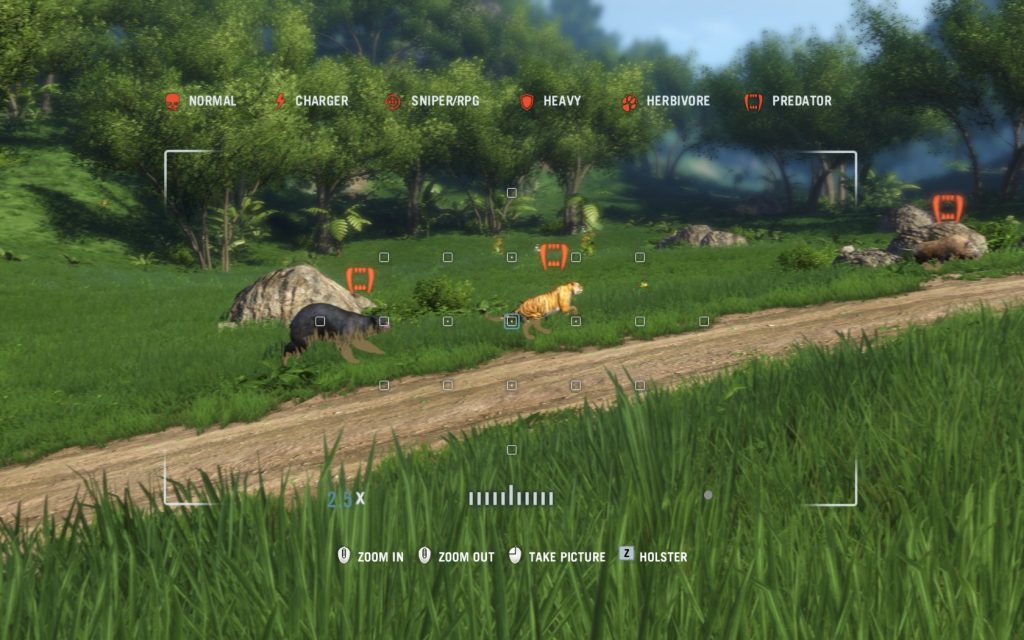
The game is played in a jungle, and you spend a good bit of time just running from one place to another. The jungle is filled with animals – some dangerous – that you can hunt and skin. You use animal skins to upgrade your equipment, then to sell once your equipment is fully upgraded.
Initially, much of the map is hidden. You slowly reveal the map by activating radio towers. The radio towers are like small puzzles – you have to find the path to the top of the tower to remove a jamming device and reactivate it. It’s usually not difficult to find the correct path, but it’s a nice change of pace from the rest of the game, and you’re rewarded with a quick overview of what’s in the area when you reactivate the tower.
There are also enemy outposts scattered across the map. While these outposts are in enemy hands, you’ll see enemy jeeps and patrols in the area, which will attack you on sight. Once you clear an outpost, however, these patrols are replaced by allies, who will come to your aid if you enter battle nearby. Clearing an outpost also unlocks it as a fast-travel location, so it’s usually a good idea to clear them soon after finding them (if only to make getting around easier). Clearing an outpost also rewards you with a decent bit of experience.
While the game encourages being stealthy by rewarding you with extra experience for stealth kills or clearing an outpost while remaining undetected (if you’re detected, you’re only given a third of the experience), playing the game loaded with RPGs and light machine guns is just as viable, and sometimes much easier. Running through the game mowing down enemies with a hail of gunfire is probably going to slow down your progression, though. I played the game with a silenced sniper rifle, crossbow, silenced SMG, and silenced assault rifle – if at all possible, I killed everyone without being noticed. The AI is a bit dumb, so they can be eluded fairly easily, but there are times when they’ll immediately spot you if you poke your head out. These times were few and far between, however.
The AI will react fairly well to your actions. If you leave a body in the open, someone will notice (“Is that a body?!”) and start investigating. If you headshot the person standing next to someone, they’ll immediately go on alert (“Holy shit!”) and head toward the source of the shot. You’re given the ability to throw a stone as a distraction from the start of the game, but I rarely used it, preferring to snipe from a distance instead. However, you could probably make use of the distraction to get close-range takedowns throughout the game, and there are a few missions where you’re required to use the stone-throw ability,
With each level you gain, you earn a point to spend in the skill tree, which is split into three sections focused on certain abilities – takedowns (stealth melee kills), guns, or survival. Nearly every ability in the tree is useful, and by the end of the game it’s easy to acquire every skill. Some skills unlock new abilities, while others simply make existing abilities stronger or add convenience (like auto-looting enemies when you use a takedown).
Graphics and Sound
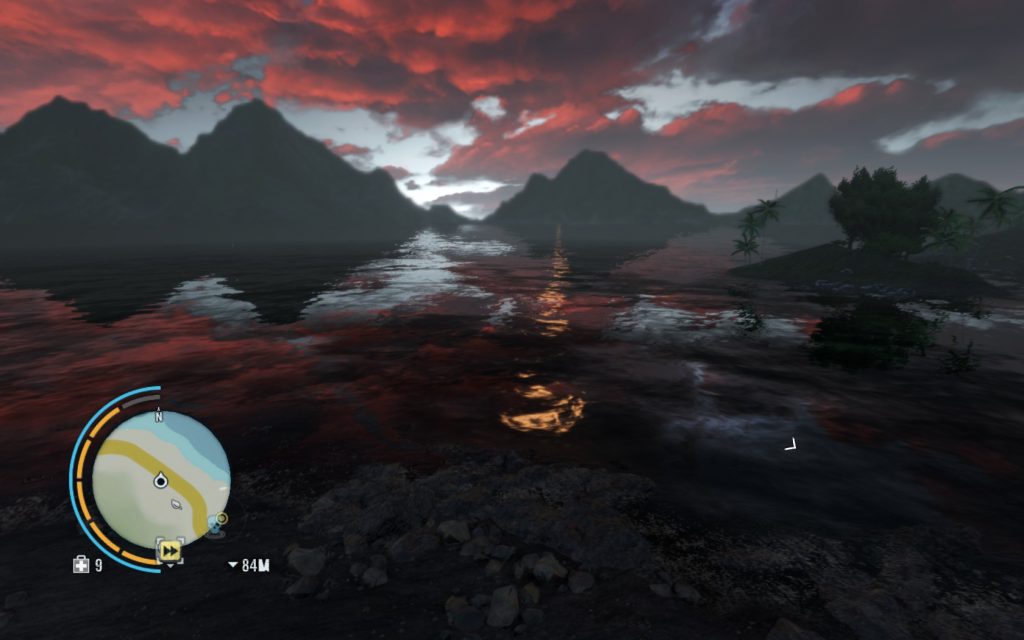
Far Cry 3 is gorgeous. The jungle is a beauty to behold, with a full day-night cycle. The game is played entirely from a first-person view, even when driving and during cutscenes. It’s a good thing, too, because your character looks like a total d-bag. (My reaction when I saw my character in the game’s “handbook” was: “Oh god, that’s what I look like?”)
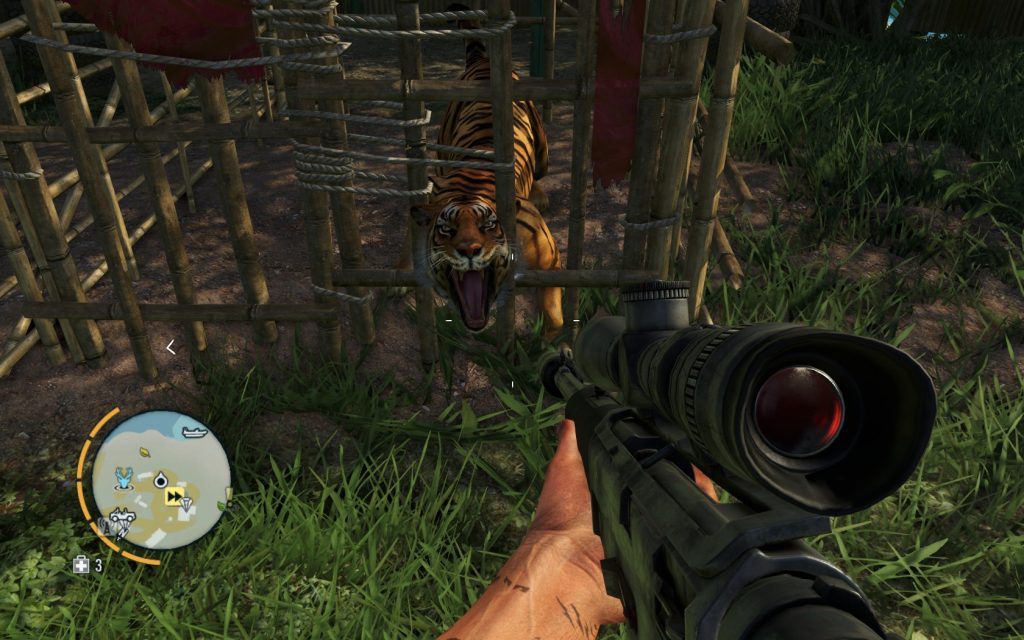
The sound is equally fantastic. I’d often be sprinting through the jungle then suddenly stop and crouch when I heard the growl of a tiger nearby. Enemies will shout to their comrades when they see you or find something suspicious. Music cues are also used well, making it easy to know when an enemy or animal knows you’re around.
Summary
Far Cry 3 was fun to play from start to finish. The game is structured and paced very well – there was never a point where I was bored. The gameplay never felt repetitive, despite doing the same few things over and over again (like outposts and radio towers). There’s plenty of extra things to do (hunts, assassinations, challenges, and random side quests) so you can always take a break from the story. In fact, I spent the first several hours of the game just hunting and upgrading my equipment. As a whole, Far Cry 3 is a fantastic game that I could recommend to almost anyone.