Categories
Games

Rift Core 2.0

I was recently playing some new VR games (Scanner Sombre and Psychonauts and The Rhombus of Ruin), and found the Oculus interfaces have seen a major upgrade – both Home and their dashboard are much nicer now. Since it’s been a pretty pleasant experience, I decided I’d write a quick post about it.

Your Virtual Home

Oculus Home used to be very boring. It was a pretty environment for you to stand in place and view the store and your library. I enjoyed my SteamVR home much more – you could customize everything and viewing your library was a small part of what your home was. SteamVR still has some advantages over Oculus Home (there’s scavenger-hunt like stuff in different worlds, and some of the informational screens in the home are more useful), but Oculus Home is quickly becoming just as good (if not better).

First off, your Oculus home is now customizable. The shape of the home is always the same, but you can change the ceiling, floors, walls, and items in the room. I changed mine to a sci-fi looking home that looks out on a sun and planets. Within the space, you can place decorations like tables, shelves, seating, lamps, and plants to make it your own. There are also several “toys” you can place, like a blaster, a bow, and targets to shoot at. You can also place a VR game console and cartridges based on the games you own. You can put a game in the console to launch it. It’s a fun way to interact with your library. And just like Steam, you can unlock new items over time, mostly just by playing.

You can also place TV screens and add a stream to them. Currently I can only add my desktop, but I could see this being used to display Twitch streams or YouTube videos (if they ever do something like that).

I don’t often make use of the social aspects in most VR games (or any game, really), but you can also invite other people to your Oculus Home and interact with them. Steam has done the same for a while now, but it’s nice to see Oculus finally catching up.

The new Dashboard – “Dash”

Along with the home update came a change to the dashboard you can bring up while in games. The old dashboard was dull – a flat panel in a big empty room. The new dash is still in a big empty room, but you now have an arc of buttons that float in front of you (like Windows’ taskbar), and you can easily navigate to the store, your library, social areas, or back to your home.

My favorite part of the new dashboard is the virtual desktop they’ve added. This was always an area where Steam was way ahead – being able to interact with your desktop within VR was necessary sometimes; I even bought a virtual desktop application a few years back when Oculus didn’t have their own. The virtual desktop Oculus implemented is easy to use and fits in with the rest of their new Dash UI very well. There’s even a beta feature where you can pull windows off your virtual desktop into their own VR windows. I can now edit spreadsheets in 3D! Apparently you can also pin windows so they stay visible while playing other games. I can watch Netflix in my spaceship in Elite or watch YouTube tutorials while I play a game.

Another feature that I really enjoyed was a simple VR watch you can strap to your virtual wrist. It shows the date and time and has a few buttons for quick navigation to some areas (like notifications). It’s a little touch that’s really nice to have. Unfortunately, it only shows up when you’re using the new dashboard or in your home.

I’ve also noticed Oculus will track any VR application you run, bought from the Oculus Store or not. This is great because I can now easily launch my Steam games without having to launch SteamVR first. If I could link my Steam library to Oculus somehow, I’d probably never need to launch SteamVR again (unless I wanted to, of course).

With the new UI, I’m actually much happier with the Oculus experience. Steam was certainly faster to make the home experience better, but I’m happy to see Oculus finally catching up. In the past, I’ve really only used the default Oculus apps until I got SteamVR running. Now, I’ll probably stick within Oculus’ realm most of the time. Which was probably the goal to begin with.

Categories
Games

Dead and Buried

Since I’ve got an Oculus Rift with Touch controllers now, I figured I’d start posting about games I’ve played and the experiences I’m having. First up is a game I got for free with the Touch controllers: Dead and Buried.

Dead and Buried is a pretty basic first-person shooter. There’s a single-player shooting gallery that’s pretty neat but a bit boring. It’s great for improving your aim, though. The real draw of Dead and Buried is its multiplayer modes, of which there are four: Quickdraw, Shootout, Robbery, and Horde. Each mode supports 2 – 4 players.

Quickdraw is exactly what it sounds like. The players go one-on-one in quickdraw duels. Each player has three lives, and the last man standing wins. The one time I played this, I lost every duel and was left on the sidelines to stand and watch everyone else duel. It’s a neat game mode and certainly appropriate, but wasn’t very fun. Maybe it’d be more entertaining if I had better aim.

Shootout puts two teams against each other with a time limit. When you die, you spawn at a new location around the area and continue the firefight. There are also various weapons hidden at some locations that you can use if you spawn near them. Sometimes a shotgun will be lying on a table near you, or a stick of dynamite on the floor beside a column. Occasionally you’ll spawn in an area with very little cover and die pretty quickly, but overall it felt balanced. Most games ended with only a few points separating the two teams. This was the most fun competitive mode for me.

Robbery is another team-based mode where a team of outlaws tries to rob a safe while another team of good guys tries to stop them. There are several battles that play out before the safe. If the good guys win enough battles, they win by driving away the outlaws. If the outlaws win enough battles, they get a chance to crack the safe. Things seem fairly even (maybe the outlaws have a slight edge) until the safe, where one outlaw has to cover the other while they unlock the safe. This seemed really unbalanced and the good guys won every time I played.

Horde is the game’s cooperative mode, where the players are all on the same team with a shared set of lives. Zombies enter the area and shamble toward the players. If the zombies get close enough, they’ll start to destroy your cover. If they get through your cover, they’ll kill you. Between waves you’ll be able to spend coins you’ve earned (by killing zombies) on cards to repair your cover, get new weapons, or gamble for a random buff (or penalty). Every map has a theme and an appropriate boss that appears every few levels. I’ve played this mode the most because I tend to prefer cooperative experiences, and it’s really fun and chaotic.

In Shootout and Robbery, cover plays a big part of the game. There are crates, tables, and walls that you can duck behind, and you can work up a sweat while playing. I would crouch or stand on my knees to hide behind cover, either popping up my head to aim and shoot or firing blindly. My girlfriend says I looked ridiculous.

Dead and Buried doesn’t do a lot (it’s a pretty straightforward shooter), but it does it well and in a fun, stylized way. It’s a good VR experience and definitely worth playing.

Categories
Games

Oculus Touch

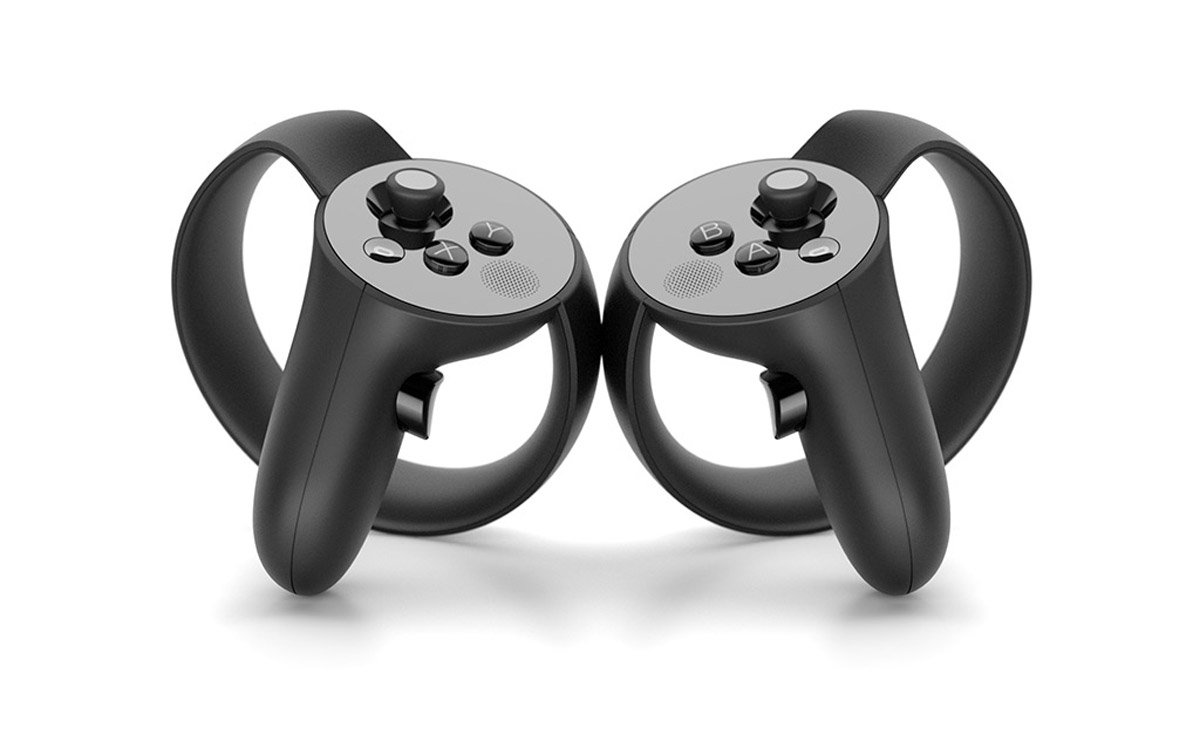
I bought an Oculus Rift back in October and I’ve been enjoying it, playing whatever I could find that worked well with a VR headset and controller. My favorites are House of the Dying Sun and Lunar Lander. (Elite: Dangerous is also great but I’m terrified of destroying my ship repeatedly and becoming penniless.) I pre-ordered the Oculus Touch controllers and they arrived a few days ago. I’ve been playing Touch games constantly since I got them and the experience is absolutely incredible.

I’ve played games with an HTC Vive at a friend’s house and they were always a lot of fun. Vive’s wands have a good feel and are easy to use. And while the Touch controls have similar inputs (trigger, grip, control pad/stick, a few buttons), the way they feel in a game is significantly different. The Vive wands are represented in VR as a device you’re holding (similar to the wands themselves), while the Touch controls are represented as your own hands. These virtual hands mimic your real hands around the controller. It sounds like it might be a little weird, but the controls are so well done that it works out incredibly well.

The accuracy of the virtual hands hit me when I was talking to my girlfriend in my living room. I was in the Oculus Home app (after playing Bullet Train) and I turned to talk to her, looking through the gap around my nose. I was gesturing toward her, and I noticed that where my real hand ended, the virtual hand began, and it was matching my gesture perfectly. I was pointing toward her, and my virtual finger was pointing just like my real hand. It was incredible. I moved my hand a bit and the virtual hand was matching the position and gesture pretty accurately.

In games made for the Touch controls, you can really start to feel like your hands are in the game. Holding weapons just feels right, whether you’re holding a handgun, a rifle, a bow, or a sword. Gestures can be done with broad motions or pointing. You can communicate with other players by pointing (👉), thumbs-up (👍), or OK’s (👌). I saw two players fist-bump. Then I learned I could make obscene gestures (👉👌). It’s awesome. Playing games designed for Vive’s wands don’t have quite the same level of interaction.

The only downside to the Touch controls are the downsides to the Oculus itself. The cameras certainly aren’t as good for room-scale, and their tracking isn’t as precise as the Vive. For games that are mostly forward-facing (and many games are), the Oculus works perfectly fine, and the setup with two cameras along the same wall is a bit more convenient than Vive’s opposite corners setup. You can still look around or behind you, but interacting with things directly behind you can be an issue if you hide a controller from one of the cameras. However, the precision is generally good enough, and most games tend to keep you facing forward, so these downsides are relatively minor.

Overall, I enjoy the Touch controllers more, but honestly, both HTC and Oculus have great VR products. UploadVR has a comparison of the controllers from back in June that I’ve found pretty accurate.

Now I’m eager for Steam’s winter sale so I can stock up on VR titles…

Categories
Games

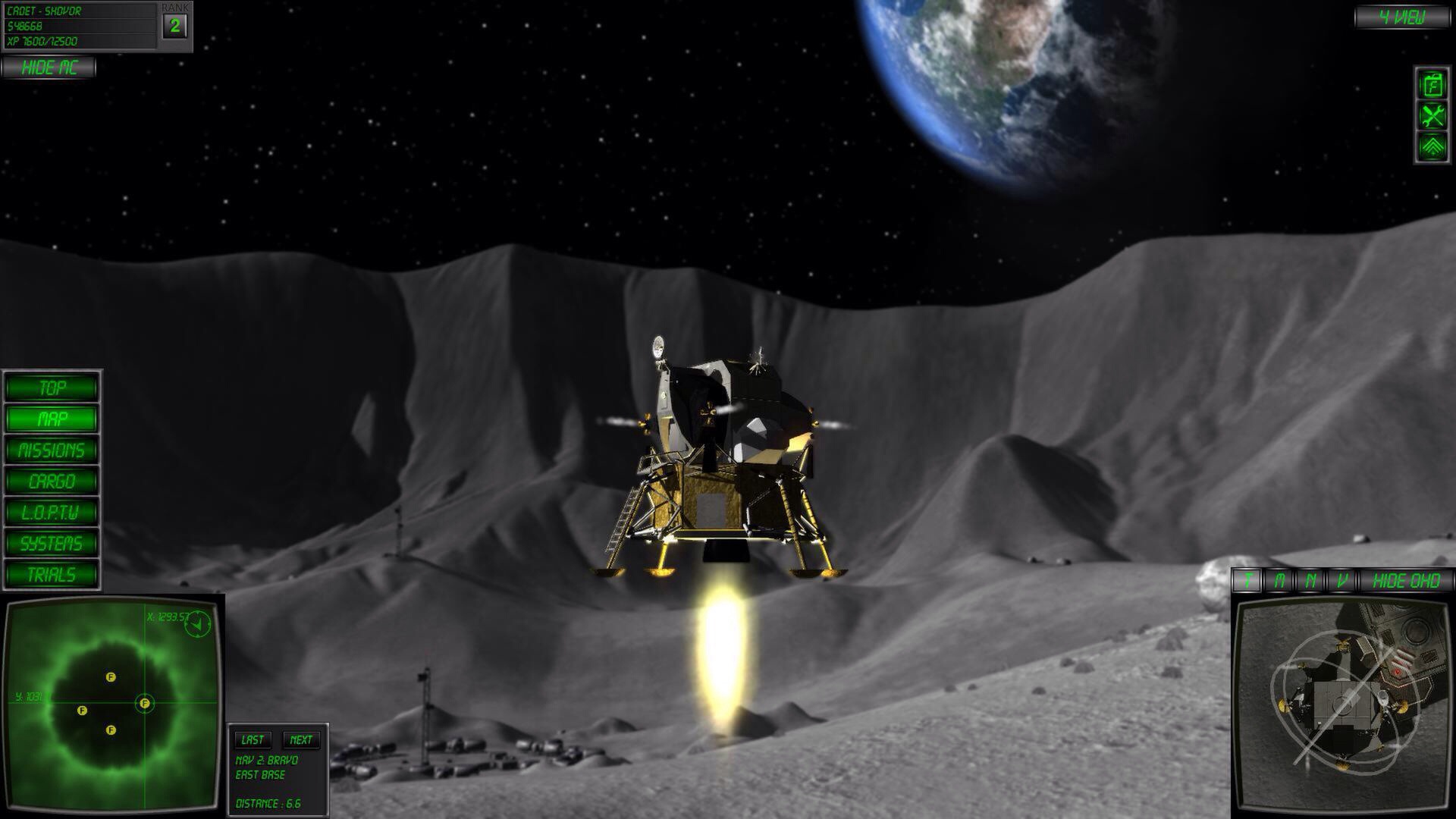
Oculus Gaming: Lunar Flight

Back in May, I ordered an Oculus Rift Dev kit. I’ve been excited about it for a while and held out as long as I could, but the excitement finally got to me and forced a purchase. I haven’t done any actual development with it (a three-month Unity Pro trial just isn’t enough time), but I’ve been playing a few games and enjoying a few tech demos. I stopped using it for a few weeks because, honestly, I was a little disappointed. I couldn’t find any games that were fun to play, well implemented, and didn’t immediately make me nauseous. I’ve been keeping up with games that introduce support, however, and during my browsing of riftenabled.com, I stumbled on a Steam game that recently started an Oculus Rift beta: Lunar Flight.

My friends know I’ve been addicted to Kerbal Space Program for a while now, so when I saw Lunar Flight was a fancy lunar lander simulator, I was immediately interested. (The words “lunar” and “flight” also caught my attention.) I didn’t already own the game, so I decided to do some investigating. After watching a few YouTube videos of Oculus Rift gameplay, and seeing a few comments saying it was the best Oculus Rift game people have played – and more importantly that it caused no nausea – I decided to give it a try. I was not disappointed.

The forum comments were right: Lunar Flight has amazing Oculus Rift support. With the headset on, it’s like you’re in a virtual lander cockpit. You can even see your shoulders when looking left and right, or your feet when looking down. If you look down at your lap, you can even see hands holding an Xbox 360 controller, so the immersion was complete. As you look around the cockpit, there are several displays and buttons you can interact with. When you look at something you can interact with, a context arrow appears and points at that item. When you press the context button on the controller (Y), you press that button or toggle that screen – a simple and elegant solution to the myriad of controls around you.

20130923-232012.jpg

The game looks fantastic, and looking out the cockpit gives you a nice view of the gray lunar landscape. It’s important that it looks good – you end up seeing a lot of it. But the attractive landscape is just the backdrop to the immersion you feel as you guide your lander from base to base, transporting cargo or surveying the area. There’s a display above you that shows (by default) your destination along your velocity vector. It feels fantastic when I get close to a landing pad and use that monitor to line up my landing, then glance down at my fuel meter, out the window to make sure nothing is getting too close, then back at that monitor to make any other adjustments. It’s hard to describe… It just feels right. I know I’m sitting in a dark room with a weird HMD on my face, but it feels like I’m sitting in a lunar lander controlling it’s decent, checking my thrust-to-weight ratios, checking my fuel, navigating from place to place… Because I am. It’s like nothing I’ve played before and finally makes the Oculus Rift seem like the amazing piece of technology that it is.

So after weeks of doing nothing with my fancy VR headset, I finally have a game I play nightly and enjoy immensely. Hopefully I’ll find more in the future, and I hope some developers out there are paying attention to the games that do VR right.